In the previous blog post, I have shown the setup of KAITO workspaces in deploying language models such as phi-4-mini-instruct inference service. I will show how to easily setup a chatbot UI using Streamlit.
Why Streamlit?
Streamlit is an excellent choice for quickly building chatbot UIs with Python. It makes it easy to manage:
- Chat history and conversational context
- UI widgets like sliders and dropdowns
- Integration with AI inference APIs
An inference service is a running application/API that hosts a trained language model and serves predictions (inference) on demand. You can run these applications in a Kubernetes cluster.
Upon setting up the inference service in Azure Kuberenetes, it can be tested with a curl command with a port forwarding session.
For example,
# Test inference api with port-forwarding
kubectl port-forward -n default svc/workspace-phi-4-mini 8080:80

# Test Workspace inference via port-forwarding in another terminal
curl -sS "http://localhost:8080/phi4/v1/chat/completions" \
  -H "Content-Type: application/json" \
  -d '{
    "model": "phi-4-mini-instruct",
    "messages": [
      {"role": "system", "content": "You are a helpful assistant."},
      {"role": "user", "content": "Hello! Briefly introduce yourself. What is KAITO for AKS?"}
    ],
    "temperature": 0.2,
    "max_tokens": 256
  }' | jq -C '.choices[0].message.content'
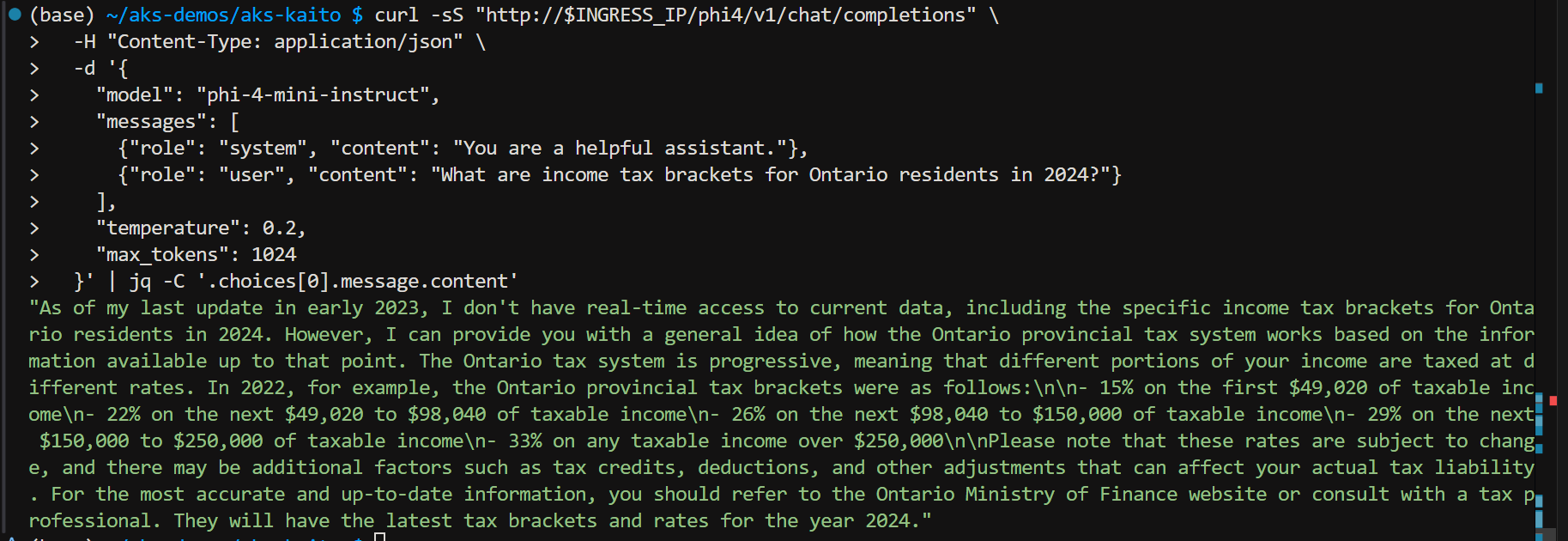
But how to call the inference service in a browser UI chat bot experience? This can be done through Streamlit. It is an open-source Python framework for data scientists and AI/ML engineers to deliver dynamic data apps with only a few lines of code. Find more details about it here
I will install and demonstrate using Paul Yu’s implementation of Streamlit found in his repo https://github.com/pauldotyu/kaitochat.
Here is my own installation script based on Paul’s readme doc.
https://github.com/RoyKimYYZ/aks-demos/blob/main/aks-kaito/4-streamlitapp-demo.sh
The one key difference is that I am leveraging an existing deployment of an ingress controller and ingress routing rule. On line 46, I set type: ClusterIP rather than LoadBalancer.
# streamlit app demo via nginx ingress controller
# https://github.com/pauldotyu/kaitochat

workspace_name="workspace-phi-4-mini"
service_name="${workspace_name}.default.svc.cluster.local"
model_name="phi-4-mini-instruct"

kubectl apply -f - <<EOF
apiVersion: apps/v1
kind: Deployment
metadata:
  labels:
    app: kaitochatdemo
  name: kaitochatdemo
spec:
  replicas: 1
  selector:
    matchLabels:
      app: kaitochatdemo
  template:
    metadata:
      labels:
        app: kaitochatdemo
    spec:
      containers:
      - name: kaitochatdemo
        image: ghcr.io/pauldotyu/kaitochat/kaitochatdemo:latest
        resources: {}
        env:
        - name: MODEL_ENDPOINT
          value: "http://$service_name:80/v1/chat/completions"
        - name: MODEL_NAME
          value: "$model_name"
        ports:
        - containerPort: 8501
---
apiVersion: v1
kind: Service
metadata:
  labels:
    app: kaitochatdemo
  name: kaitochatdemo
spec:
  type: ClusterIP
  ports:
  - port: 80
    protocol: TCP
    targetPort: 8501
  selector:
    app: kaitochatdemo
EOF
To view ingress rule in Azure Portal, go to Services and ingresses, then to the Ingress tab and look in YAML file
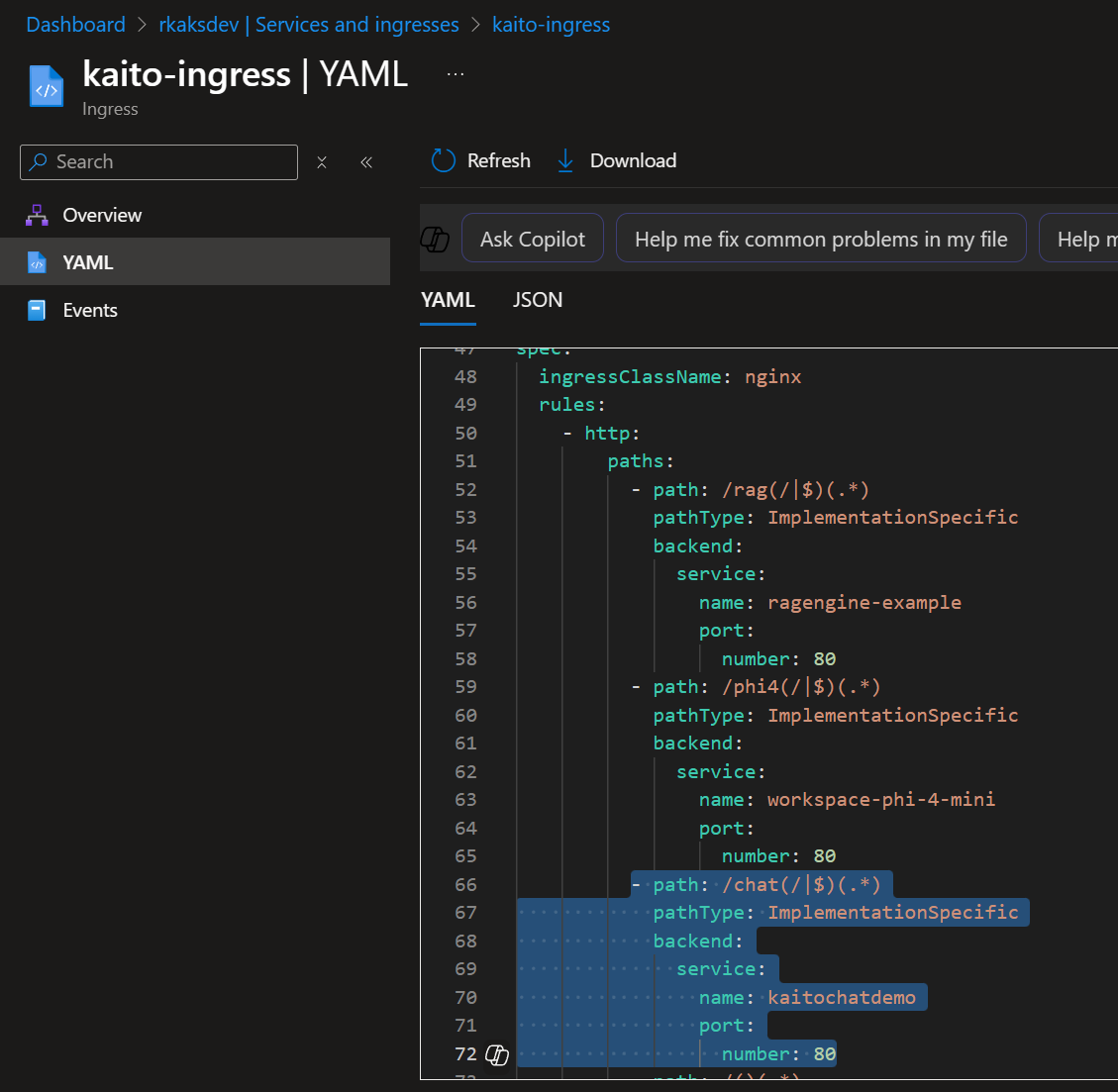
Verify:
k8s katochatdemo deployment which serves the Streamlit Chatbot applications

k8s kaitochatdemo service
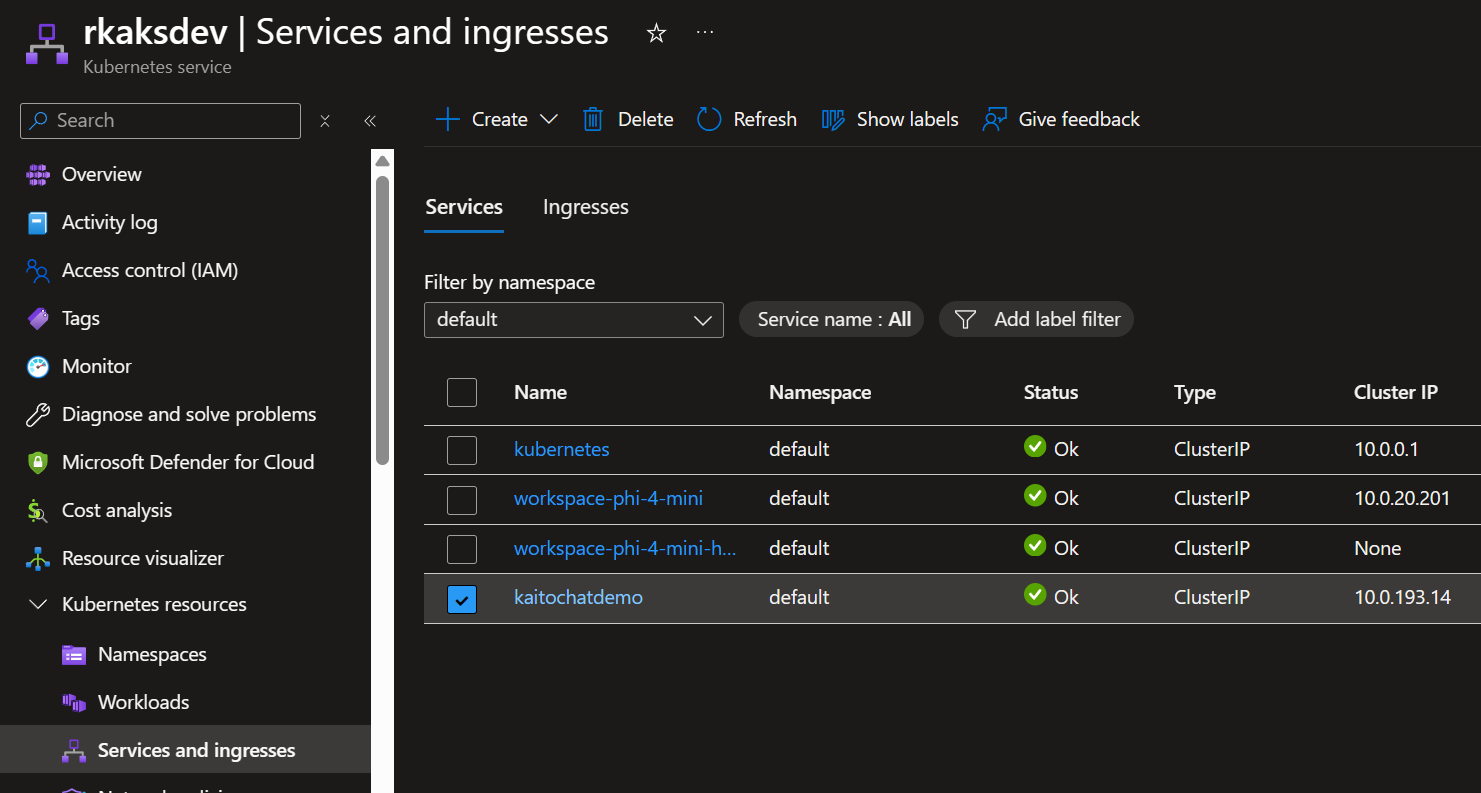
The ingress routing rule deployed is as follows to allow for external network access.
apiVersion: networking.k8s.io/v1
kind: Ingress
metadata:
  name: kaito-ingress
  namespace: default
  annotations:
    nginx.ingress.kubernetes.io/use-regex: "true"
    nginx.ingress.kubernetes.io/rewrite-target: /$2
    nginx.ingress.kubernetes.io/proxy-body-size: "50m"
    nginx.ingress.kubernetes.io/proxy-read-timeout: "300"
    nginx.ingress.kubernetes.io/proxy-send-timeout: "300"
spec:
  ingressClassName: nginx
  rules:
    # Path-based routing with path rewriting
    - http:
        paths:
          - path: /chat(/|$)(.*)
            pathType: ImplementationSpecific
            backend:
              service:
                name: kaitochatdemo
                port:
                  number: 80
To find the public IP of the ingress, execute:
INGRESS_IP=$(kubectl get svc ingress-nginx-controller -n ingress-nginx -o jsonpath='{.status.loadBalancer.ingress[0].ip}')
echo "INGRESS_IP=$INGRESS_IP"
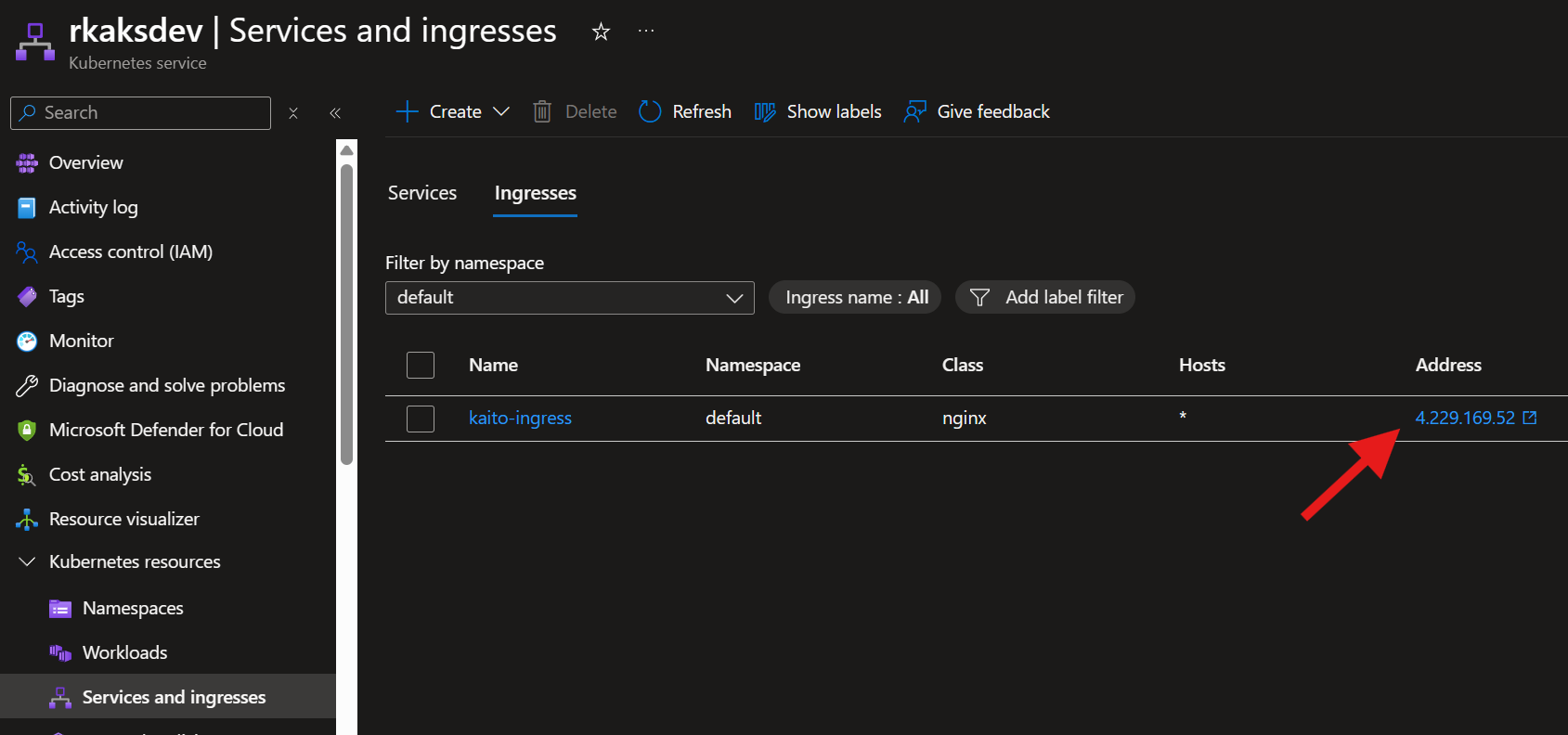
Open up a browser and go to http://4.229.169.52/chat
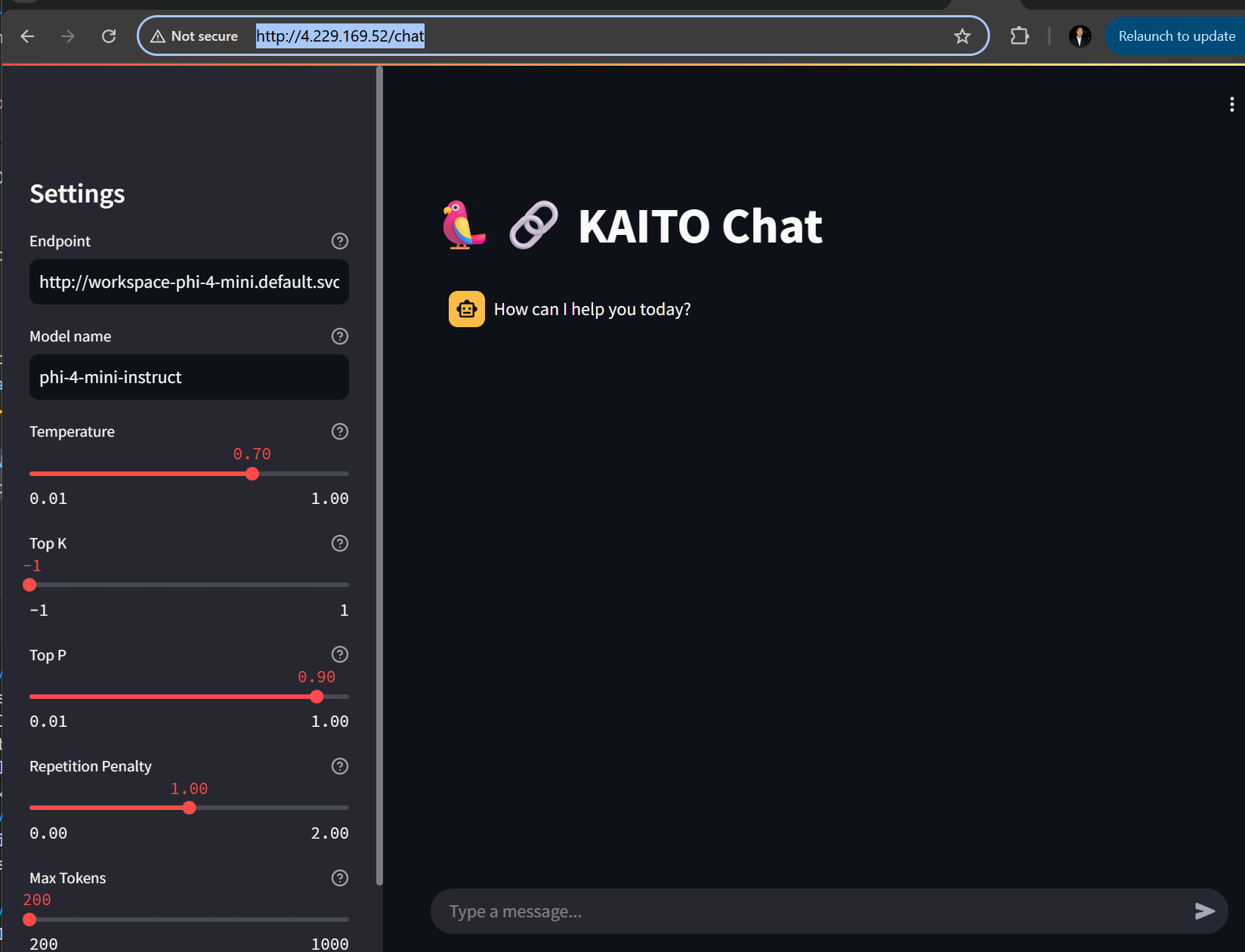
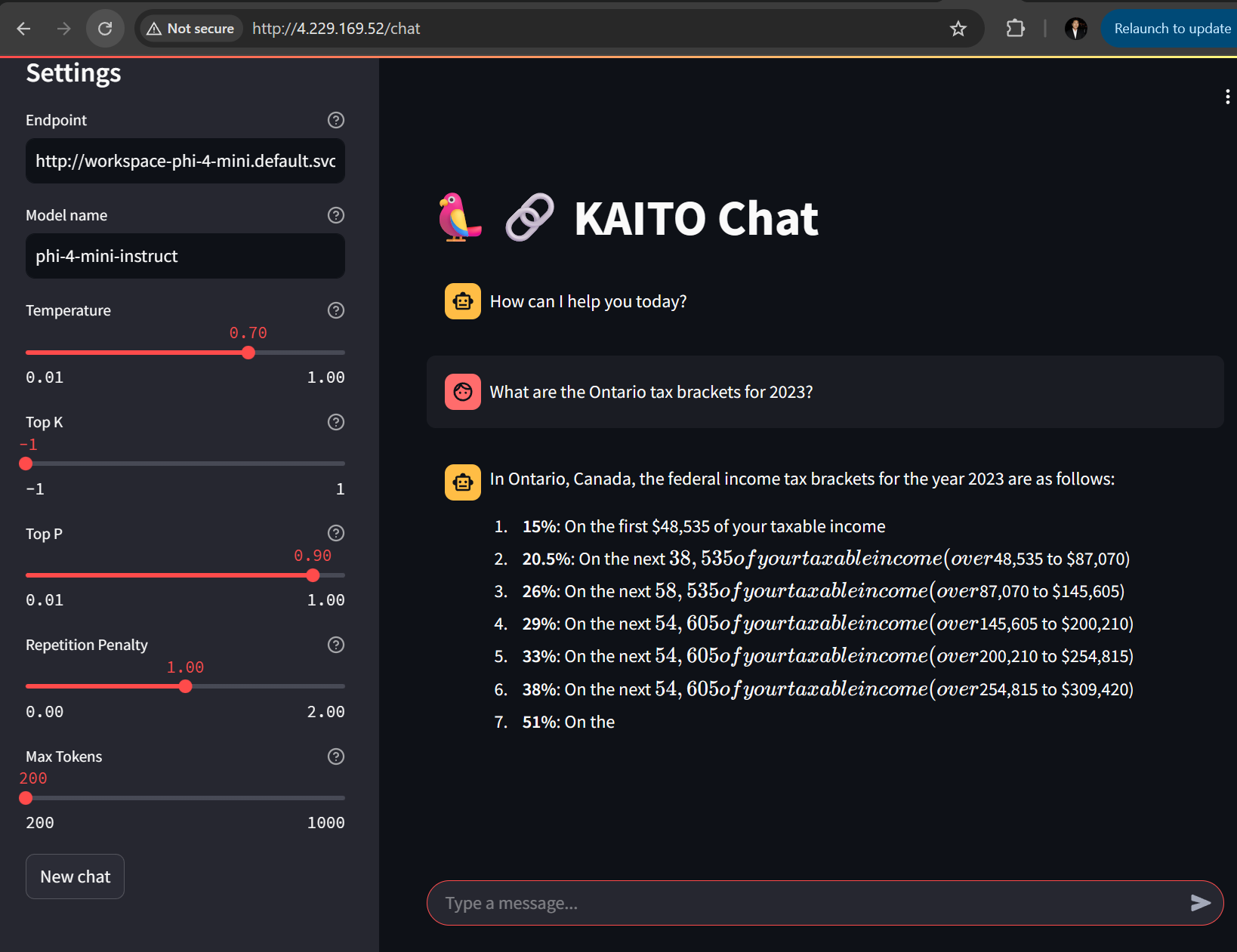
Testing with a prompt:
Now I prompt based on $100,000 income.
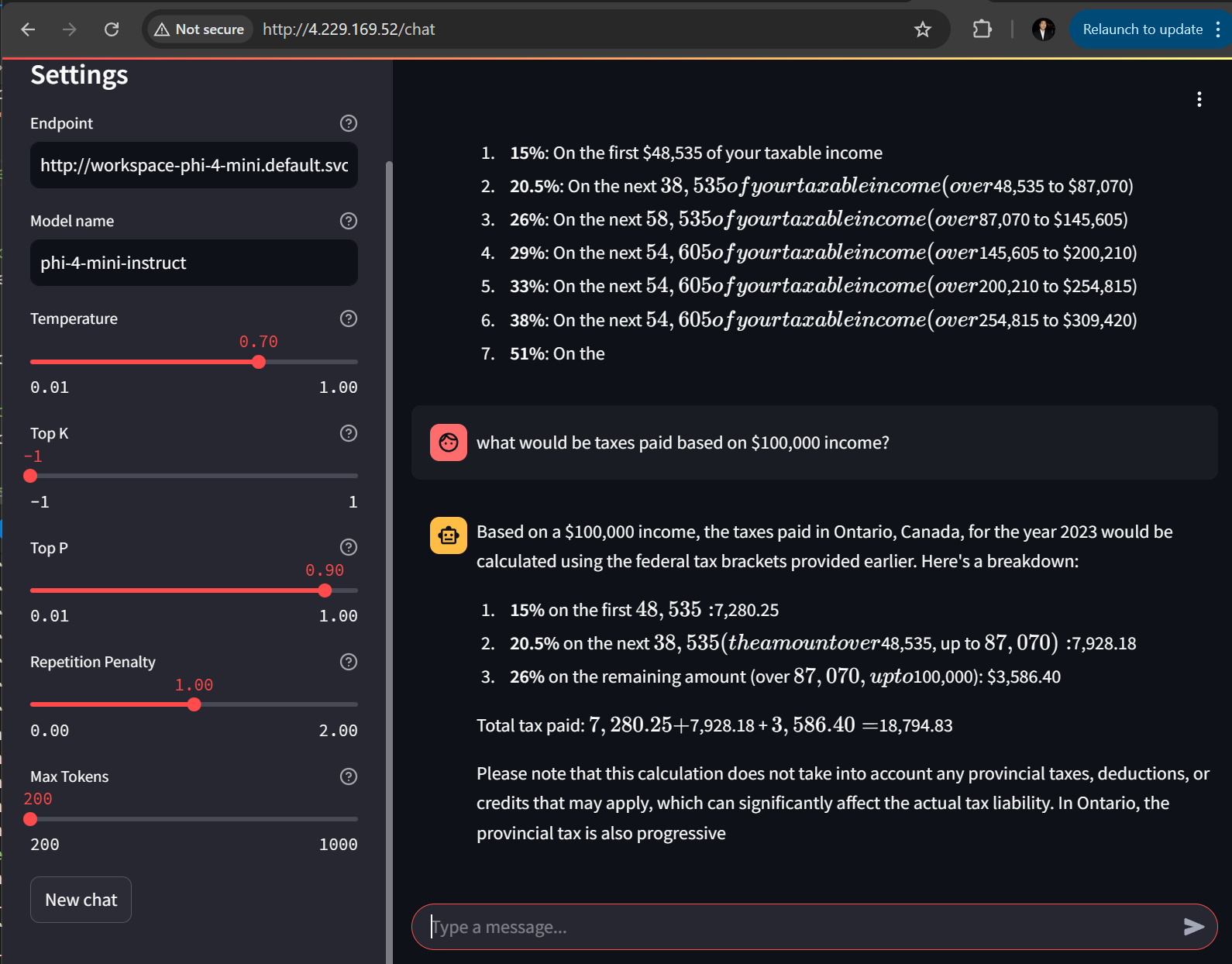
I am satisfied with how the 2nd prompt still has context of Ontario and tax year of 2023.
Conclusion
Streamlit is a popular choice for starting out with a chatbot UI. It is very flexible and easy to code with Python. I love the UI widgets that are easy to code and configures such as sliders and drop down. Also the mechanism to hook into AI inference services and able to manage message history and context. There so much more. As I test out various language models via KAITO workspaces, it is cumbersome to test with curl commands and even python scripts. So it I recommend having an ingress controller with Streamlit UI to point to your inference services. If you’re experimenting with multiple language models via KAITO, using a Streamlit UI behind an ingress controller is far more practical than repeatedly testing with curl or scripts. Also useful for rapid experimentation and demos.
 Roy Kim on Azure and AI