
Kubernetes AI Toolchain Operator (KAITO) is an operator that automates the AI/ML model inference or tuning workload in a Kubernetes cluster. Basically you can run LLM models within AKS and have more security and control than using 3rd party hosted LLM.
I will show my installation steps that are based on https://kaito-project.github.io/kaito/docs/installation with KAITO release v0.8.x (released Dec 7th, 2025), but I have made minor modifications and added ingress controller installation. This setup will form the foundation of additional blog posts. These will arrive at more comprehensive AI solutions and better demonstrate KAITO capabilities.
I will show the following:
- Create AKS Cluster
- Install KAITO Workspace Controller
- Enable Workload Identity and OIDC Issuer features
- Create an managed identity and assign permissions
- Install GPU-Provisioner Controller via Helm Chart
- Create the federated credential for the managed identity
- Install a Phi-4 Language Model as an Inference Service
- Install Nginx Ingress Controller for public access to the phi-4 inference service
- Test the inference service
You can refer to my installation scripts at:
- https://github.com/RoyKimYYZ/aks-demos/blob/main/aks-kaito/1-setup-aks-kaito-v0.80.sh
- https://github.com/RoyKimYYZ/aks-demos/blob/main/aks-kaito/2-setup-nginx-ingress-controller.sh
1. Create AKS Cluster
export RESOURCE_GROUP="aks-solution"
export CLUSTER_NAME="rkaksdev"
export LOCATION="canadacentral"

az group create --name $RESOURCE_GROUP --location $LOCATION
az aks create --resource-group $RESOURCE_GROUP --name $CLUSTER_NAME --node-count 1 \
  --enable-oidc-issuer --enable-workload-identity --enable-managed-identity
helm repo add kaito https://kaito-project.github.io/kaito/charts/kaito
helm repo update
helm upgrade --install kaito-workspace kaito/workspace \
  --namespace kaito-workspace \
  --create-namespace \
  --set clusterName="$CLUSTER_NAME" \
  --wait
Verify KAITO installation
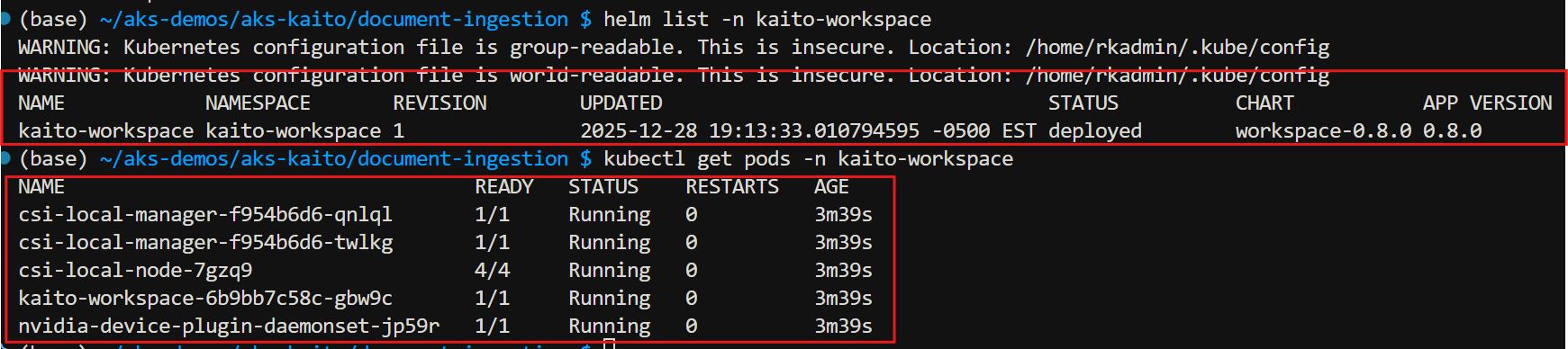
kaito-workspace namespace created

Kaito-workspace Deployments
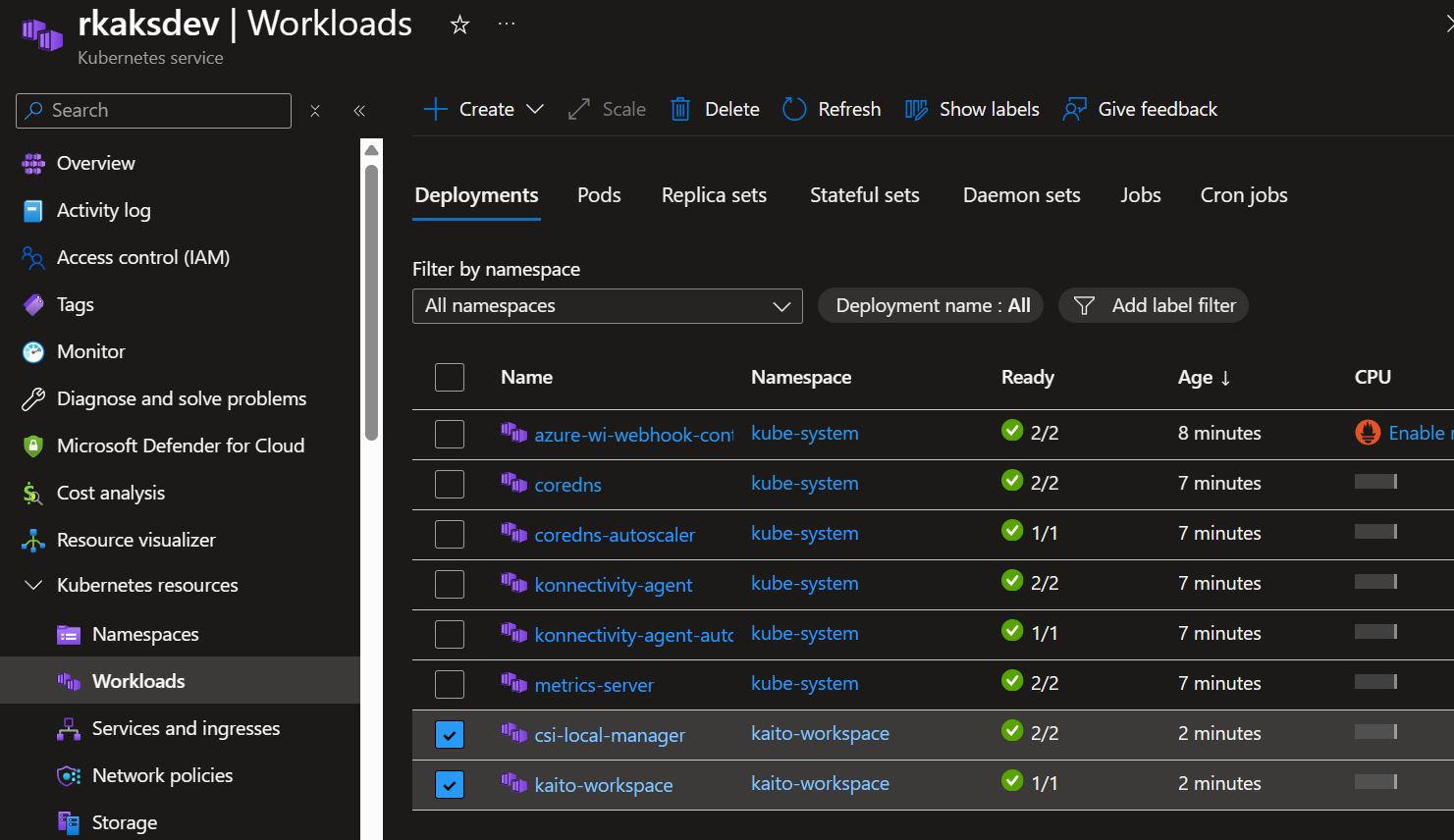
Create Managed Identity for the GPU provisioner with the necessary permissions
export SUBSCRIPTION=$(az account show --query id -o tsv)
echo "Subscription ID: $SUBSCRIPTION"
export IDENTITY_NAME="kaitoprovisioner"
echo "Creating Managed Identity: $IDENTITY_NAME"
az identity create --name $IDENTITY_NAME -g $RESOURCE_GROUP

# Get the principal ID for role assignment
export IDENTITY_PRINCIPAL_ID=$(az identity show --name $IDENTITY_NAME -g $RESOURCE_GROUP --subscription $SUBSCRIPTION --query 'principalId' -o tsv)
echo "Managed Identity Principal ID: $IDENTITY_PRINCIPAL_ID"
5. Deploy GPU-Provisioner via helm install
The GPU-provisioner
helm install gpu-provisioner \
  --values gpu-provisioner-values.yaml \
  --set settings.azure.clusterName=$CLUSTER_NAME \
  --wait \
  https://github.com/Azure/gpu-provisioner/raw/gh-pages/charts/gpu-provisioner-$GPU_PROVISIONER_VERSION.tgz \
  --namespace gpu-provisioner \
  --create-namespace
No need to verify this deployment just yet. The gpu-provisioner controller container will CrashLoop with AADSTS700211 until the federated credential exists and matches your cluster’s OIDC issuer.
6. Create the Federated Credential
Federated credential links the managed identity to the Kubernetes service account in the AKS cluster. This enabled the gpu-provisioner to run under the Kubernetes service account to
export AKS_OIDC_ISSUER=$(az aks show -n $CLUSTER_NAME -g $RESOURCE_GROUP --subscription $SUBSCRIPTION --query "oidcIssuerProfile.issuerUrl" -o tsv)
echo "AKS OIDC Issuer: $AKS_OIDC_ISSUER"

az identity federated-credential create \
  --name kaito-federatedcredential-$CLUSTER_NAME \
  --identity-name $IDENTITY_NAME \
  -g $RESOURCE_GROUP \
  --issuer $AKS_OIDC_ISSUER \
  --subject system:serviceaccount:"gpu-provisioner:gpu-provisioner" \
  --audience api://AzureADTokenExchange \
  --subscription $SUBSCRIPTION

# Ensure the Managed Identity has permissions to create agent pools
AKS_ID=$(az aks show -g "$RESOURCE_GROUP" -n "$CLUSTER_NAME" --query id -o tsv)
echo "AKS Cluster ID: $AKS_ID"
Verify in Managed Identity > Federated credentials
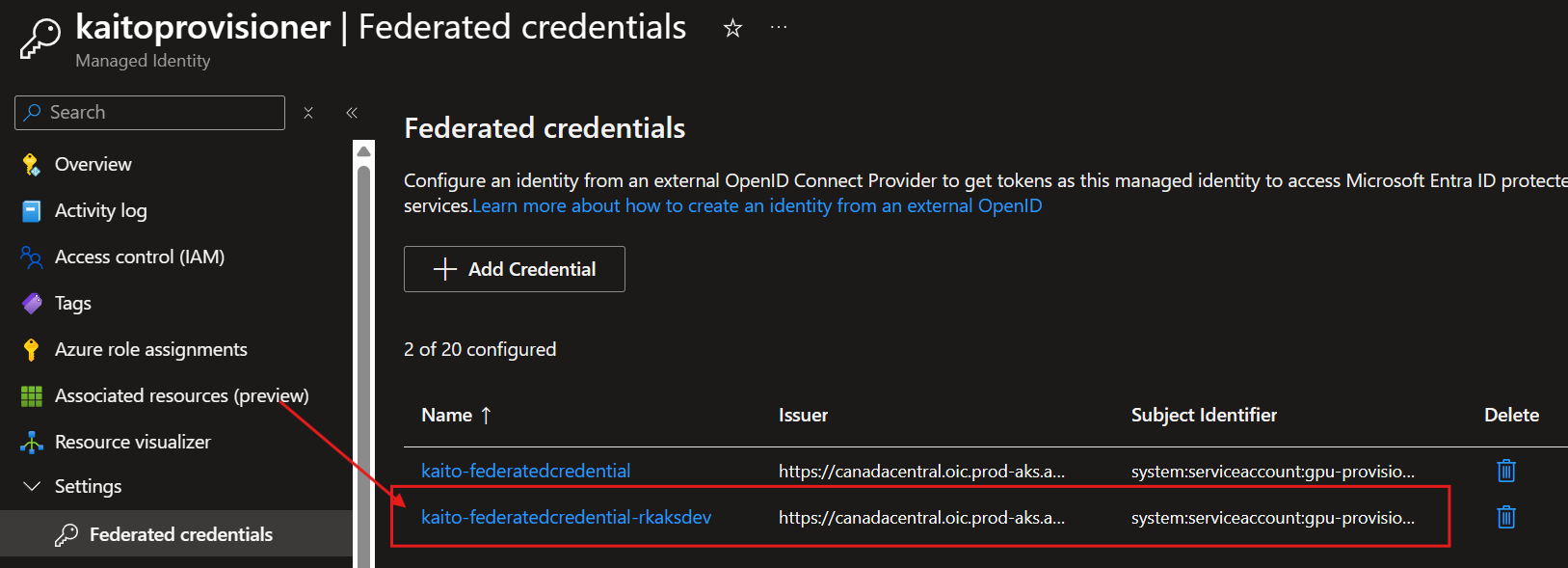
Execute:
# Restart GPU provisioner to pick up credentials/permissions
kubectl rollout restart deploy/gpu-provisioner -n gpu-provisioner || true
Verify running gpu-provisioner controller deployment
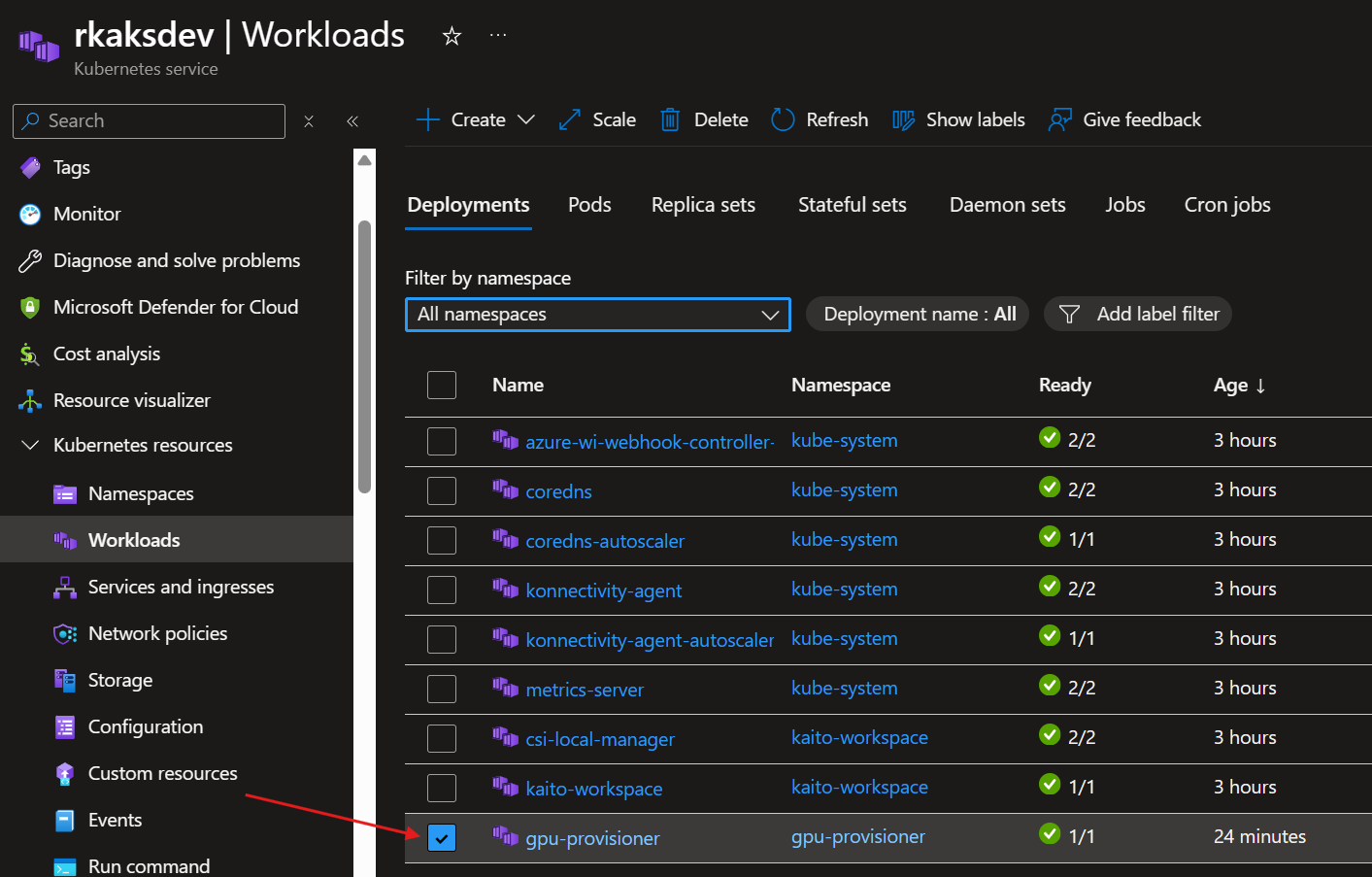
7. Install a KAITO workspace with GPU with Phi-4 Language Model as an Inference Service
kubectl apply -f phi-4-workspace.yaml
phi-4-workspace.yaml file contents:
apiVersion: kaito.sh/v1beta1
kind: Workspace
metadata:
  name: workspace-phi-4-mini
resource:
  instanceType:  "Standard_NC6s_v3"
  labelSelector:
    matchLabels:
      apps: phi-4-mini
inference:
  preset:
    name: phi-4-mini-instruct
Deploying the KAITO workspace tiggers the gpu-provisioner to create the nodepool with GPU
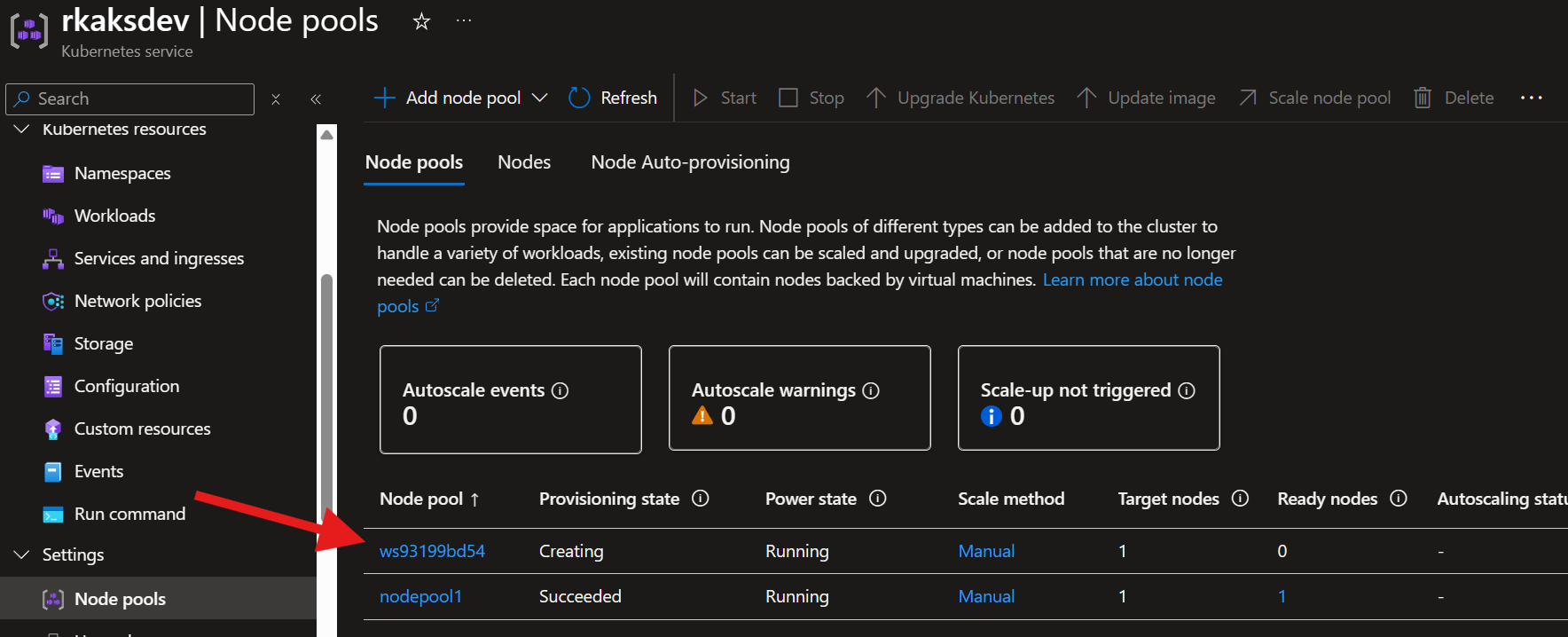
This will take at least 15 minutes.
To monitor progress execute:
kubectl get workspace workspace-phi-4-mini -w

Wait to expect InferenceReady to be true
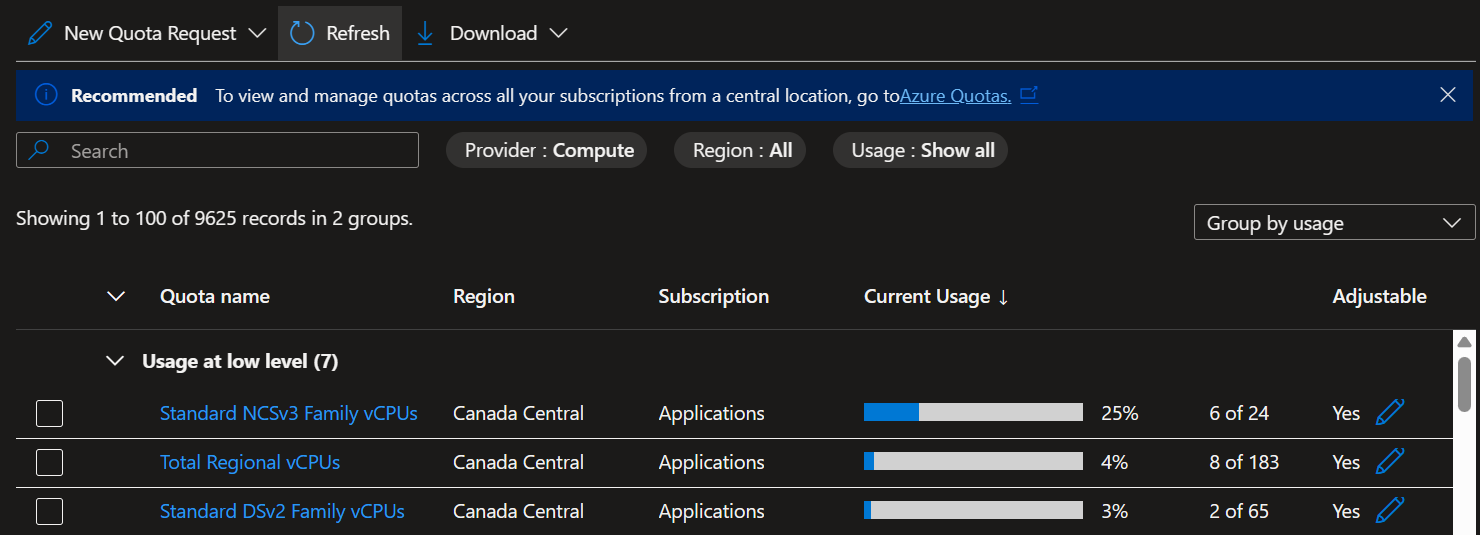
In the Subscriptions > Usage + Quotas, You can see the VM Sku family utilized. Ensure you have the VM sku with GPU quota requested with enough limit.
8. Install Nginx Ingress Controller for public access to the phi-4 inference service
I highly prefer and recommend installing Nginx ingress controller. This allows for internet network access that is stable and consistent. Rather than establishing port forwarding sessions with multiple terminal windows and for each k8s service. This NGINX Ingress controller serves as a reverse proxy and traffic router to expose internal services such as the phi4 inference service.
Deploy the helm chart
helm repo add ingress-nginx https://kubernetes.github.io/ingress-nginx
helm repo update
helm upgrade --install ingress-nginx ingress-nginx/ingress-nginx \
  --namespace ingress-nginx \
  --create-namespace \
  --set controller.service.annotations."service\.beta\.kubernetes\.io/azure-load-balancer-health-probe-request-path"=/healthz \
  --set-string controller.config.server-snippet="location = /healthz { return 200; }"
Verify deployment
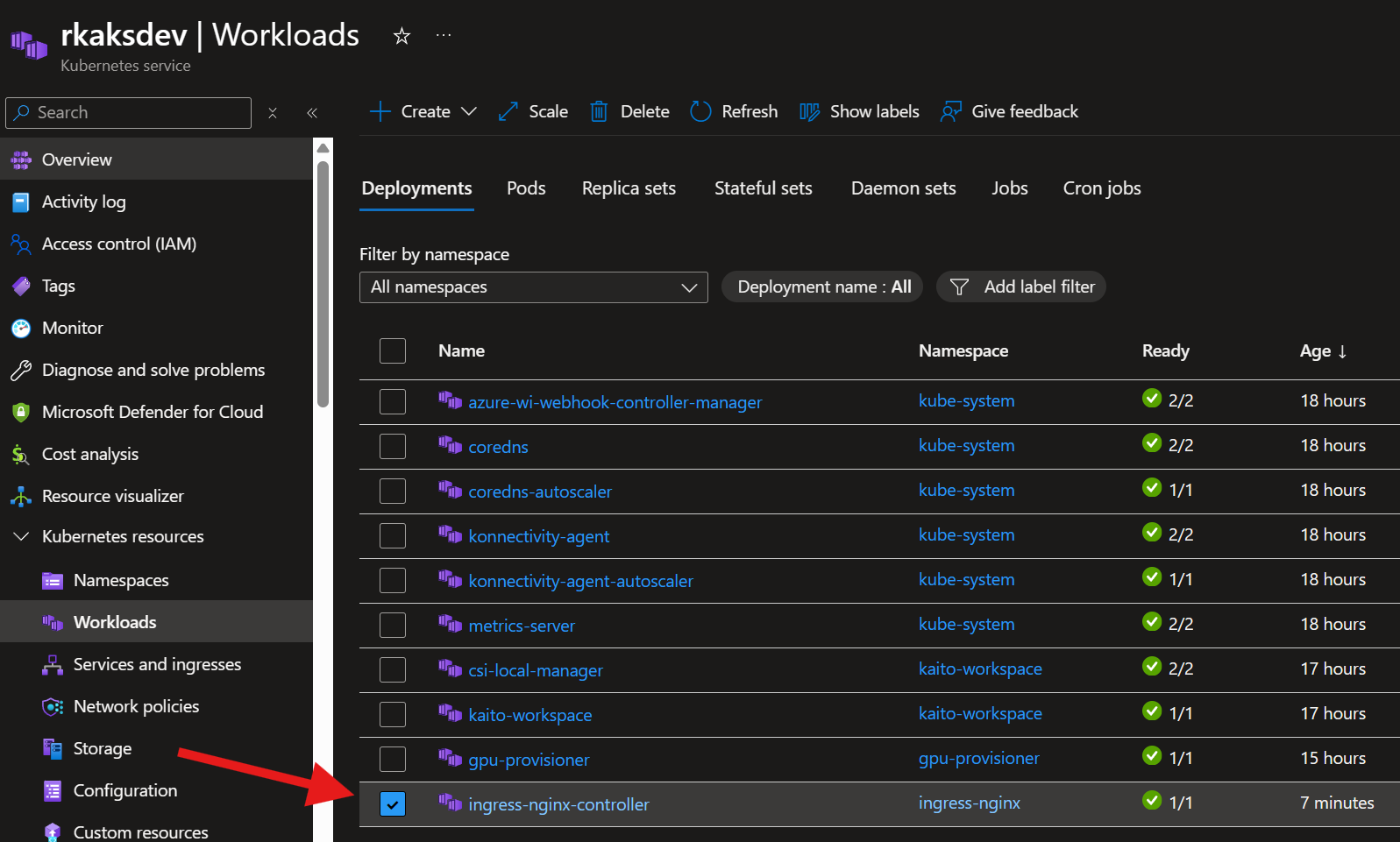
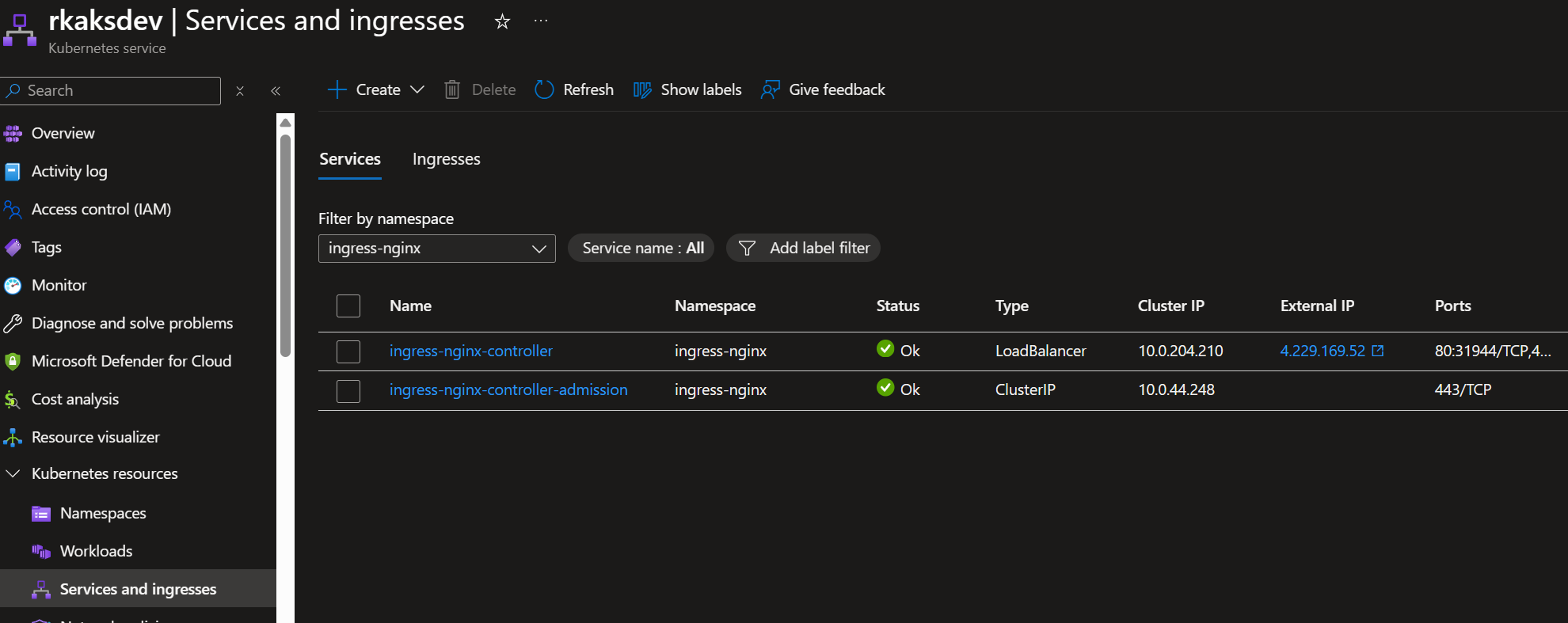
Deploy the ingress resource to exponse an ingress to the ph-4 worspace inference service
Deploy the ingress resource for kaito workspace and ragengine and streamlit apps
The ingress-nginx-kaito.yaml file contents. This includes ingress rules for future deployment of ragengine and streamlit chat UI app.
apiVersion: networking.k8s.io/v1
kind: Ingress
metadata:
  name: kaito-ingress
  namespace: default
  annotations:
    nginx.ingress.kubernetes.io/use-regex: "true"
    nginx.ingress.kubernetes.io/rewrite-target: /$2
    nginx.ingress.kubernetes.io/proxy-body-size: "50m"
    nginx.ingress.kubernetes.io/proxy-read-timeout: "300"
    nginx.ingress.kubernetes.io/proxy-send-timeout: "300"
spec:
  ingressClassName: nginx
  rules:
    # Path-based routing with path rewriting
    - http:
        paths:
          - path: /rag(/|$)(.*)
            pathType: ImplementationSpecific
            backend:
              service:
                name: ragengine-example
                port:
                  number: 80
          - path: /phi4(/|$)(.*)
            pathType: ImplementationSpecific
            backend:
              service:
                name: workspace-phi-4-mini
                port:
                  number: 80
          - path: /chat(/|$)(.*)
            pathType: ImplementationSpecific
            backend:
              service:
                name: kaitochatdemo
                port:
                  number: 80
          # Streamlit-based UIs may call absolute paths like /_stcore/*.
          # This catch-all keeps /rag and /phi4 working (they're above), while
          # ensuring those absolute paths still reach the chat service.
          - path: /()(.*)
            pathType: ImplementationSpecific
            backend:
              service:
                name: kaitochatdemo
                port:
                  number: 80
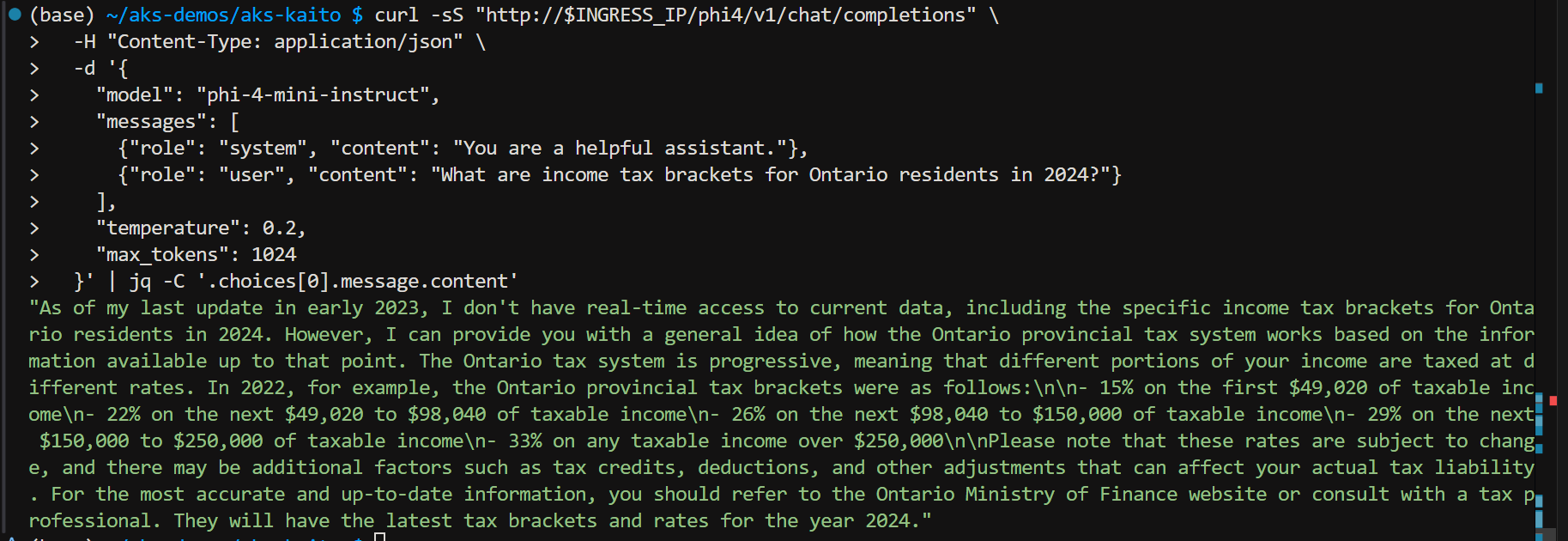
Test Phi4 inference servide via ingress controller via Ingress Public IP Address
# Test endpoint via ingress after setting up nginx ingress controller
# Ingress endpoint (single public IP)
INGRESS_IP=$(kubectl get ingress kaito-ingress -n default -o jsonpath='{.status.loadBalancer.ingress[0].ip}')
echo "INGRESS_IP=$INGRESS_IP"

# Test Workspace inference via ingress (/phi4 routes to workspace-phi-4-mini)
curl -sS "http://$INGRESS_IP/phi4/v1/chat/completions" \
  -H "Content-Type: application/json" \
  -d '{
    "model": "phi-4-mini-instruct",
    "messages": [
      {"role": "system", "content": "You are a helpful assistant."},
      {"role": "user", "content": "What are income tax brackets for Ontario residents in 2024?"}
    ],
    "temperature": 0.2,
    "max_tokens": 1024
  }' | jq -C '.choices[0].message.content'
Test results:
Next blog post I will show how to setup Streamlit Chat App to call this public endpoint of the phi-4 inference service.
 Roy Kim on Azure and AI