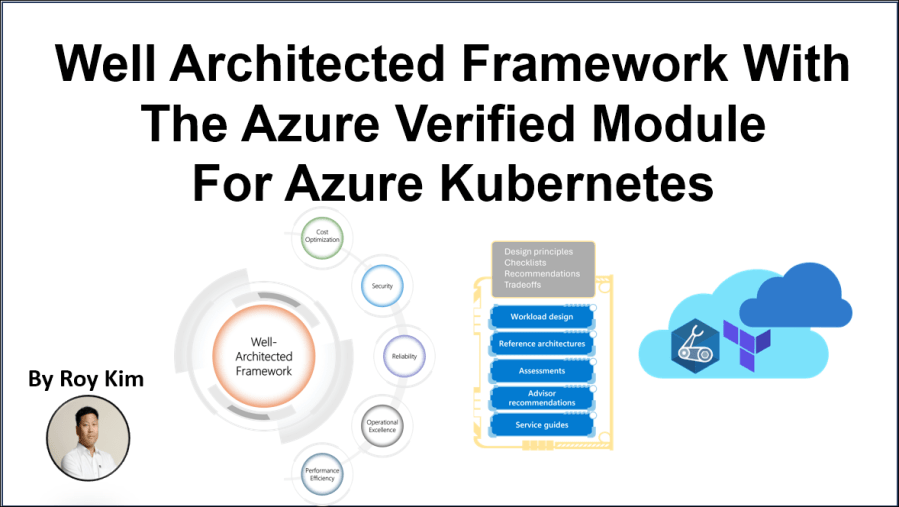
I came across the Azure Verified Module for Azure Kubernetes Service and in its Github repo I found a Well Architected Framework (WAF) Aligned example for deploying this Terraform module. So asked myself, “What exactly makes this example of deploying AKS WAF Aligned?”
Before I get into that, let me explain what is WAF. It is when you have a workload or solution architecture and you want to apply the ‘how’ of applying best practices against the WAF five pillars of architectural excellence.
- Reliability – resilient, available and recoverable
- Security – zero-trust, adhere to confidentiality, integrity and availability
- Cost optimization – deliver sufficient return on investment
- Operational excellence – DevOps best practices, development, observability and release management
- Performance efficiency – workload adjusting to changes in demand without compromising user experience and conserve resources.
And the goal being to provide prescriptive technical guidance for designing and continuously refining high-quality Azure workloads.
So reading through the MS Learn WAF documentation , I found this page Architecture best practices for Azure Kubernetes Service (AKS) which list a set detailed recommendations to configure an AKS cluster. I’ll do my best to compare the WAF aligned terraform AKS deployment with some of these WAF AKS recommendations.
First get familiar with the WAF Aligned example code https://github.com/Azure/terraform-azurerm-avm-res-containerservice-managedcluster/tree/main/examples/waf-aligned
| Terraform Module Configuration | WAF Alignment |
| private_cluster_enabled = true | Security Secure network traffic to your API server by using private AKS cluster |
| private_dns_zone_id = azurerm_private_dns_zone.zone.id | Security Internal DNS resolution for the cluster’s API. Ties AKS to the private DNS zone created above, keeping traffic private. |
| managed_identities = { user_assigned_resource_ids = […] } | Security You can avoid the overhead associated with managing and rotating service principles. Grants the cluster a dedicated identity for resource access, aligning with least-privilege. |
| network_profile = { dns_service_ip = “10.10.200.10” service_cidr = “10.10.200.0/24” network_plugin = “azure” } | Reliability, Performance Efficiency The right network plugin can help ensure better compatibility and performance. |
| oms_agent = { log_analytics_workspace_id = azurerm_log_analytics_workspace.workspace.id } | Operational Excellence Centralized monitoring & logging. Sends cluster logs/metrics to the Log Analytics workspace, simplifying observability and day-2 operations. |
| azure_active_directory_role_based_access_control = { tenant_id = data.azurerm_client_config.current.tenant_id azure_rbac_enabled = true } | Security The Azure Active Directory role-based access control for the Kubernetes cluster. Enforced Azure AD-based identity and role assignments. |
| defender_log_analytics_workspace_id = azurerm_log_analytics_workspace.workspace.id | Security Microsoft Defender for Containers helps you monitor and maintain the security of your clusters, containers, and their applications. |
| default_node_pool = { name = “default” vm_size = “Standard_DS2_v2” node_count = 3 zones = [2, 3] auto_scaling_enabled = true max_count = 3 max_pods = 50 min_count = 3 vnet_subnet_id = azurerm_subnet.subnet.id only_critical_addons_enabled = true upgrade_settings = { max_surge = “10%” } } | Cost Optimization, Performance Efficiency, Reliability Selecting the right VM instance type is crucial because it directly affects the cost to run applications on AKS. – zones = [2,3] Improves resilience by distributing nodes across availability zones. – auto_scaling_enabled = true Dynamically scales to match demand, lowering cost when usage is lower. – max_surge = “10%” Enables rolling upgrades in small batches to minimize downtime. – max_pods = 50 Ensures sufficient IP addresses and resource capacity for workload scaling. |
| automatic_upgrade_channel = “stable” | Reliability, Operational Excellence Opting for stable, well-tested cluster releases. Reduces the risk of instability compared to preview or rapid-release channels. |
| node_os_channel_upgrade = “Unmanaged” | Reliability Automatic OS patching and upgrades are disabled . The onus is on you (the operator or DevOps team) to manage and install updates manually By manually controlling updates, you can test and schedule OS patches on your schedule, reducing the risk of unplanned reboots or incompatibilities introduced by automatic updates. |
| maintenance_window_auto_upgrade = { frequency = “Weekly” … } maintenance_window_node_os = { frequency = “Weekly” … } | Reliability, Operational Excellence Scheduled maintenance for predictable upgrades and patching. Defining exact weekly update windows reduces unexpected disruptions and ensures systematic patching cycles. |
In this example terraform code, there can be many more configurations that support the WAF 5 pillars of architectural excellence, but this example is just a starting point. Adding and adjusting to the configuration is dependent on your project and organizational technology priorities.
Conclusion
In developing Azure workloads and solutions with terraform modules, it is highly recommended to reference the corresponding Azure workload WAF service guides for recommendations and checklists against the five pillars of security, reliability, operational excellence, cost optimization and performance efficiency. This will further guide you to be an effective architect, designer and engineer to align to your organization’s technology principals.
References
 Roy Kim on Azure and AI