
I will continue from the Part 1 to execute the deployment of the fine-tuning workspace job.
This blog post is part of a series.
Part 1: Intro and overview of the KAITO fine-tuning workspace yaml
Part 2: Executing the Training Kubernetes Training Job
Part 3: Deploying the Fine-Tuned Model
Part 4: Evaluating the Fine-Tuned Model

Let’ start the fine tuning process by executing$ kubectl apply -f kaito_workspace_tuning_phi_3.yaml
The Kaito workspace and gpu-provisioner controller work together to kick off the provisioning of a new user node pool with the VM SKU is being provisioned. You can check the statuse of the provisioning running
$ kubectl get workspace
At this moment a job is running executing the fine-tuning. This will take many hours.

The job running in the provisioned GPU node pool.

The workspace job running inside the new node pool.
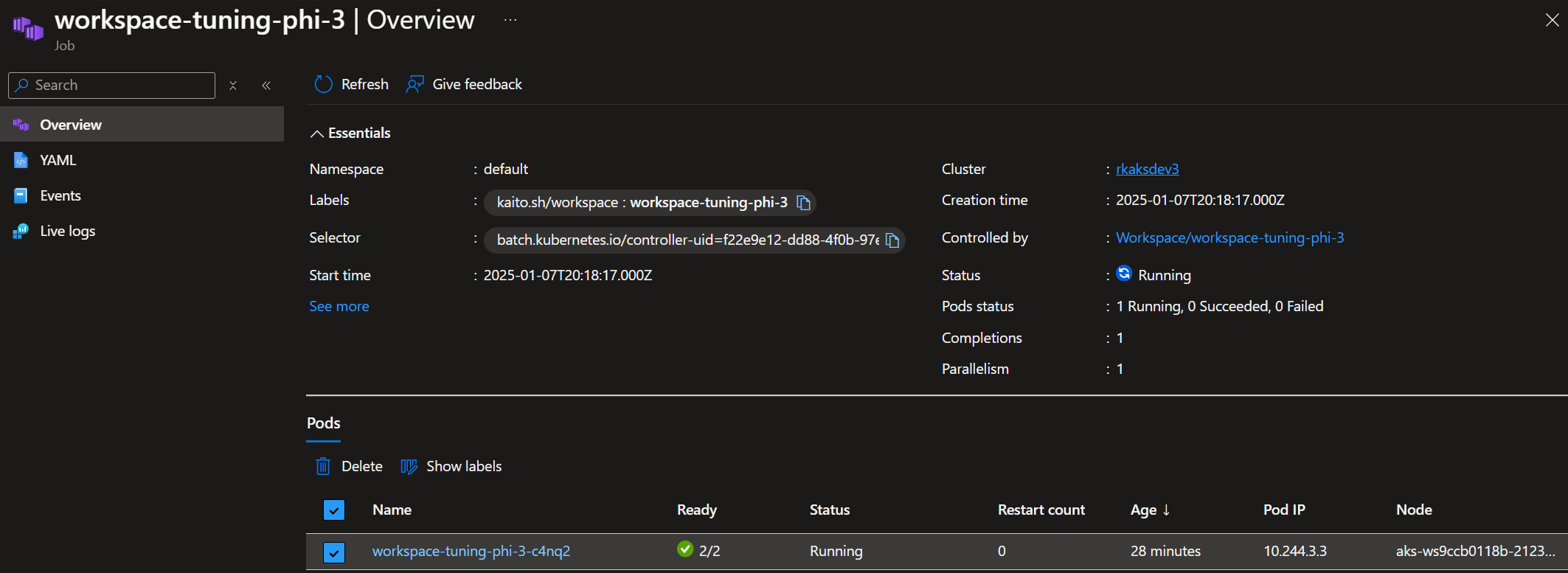
This node pool only contains 1 node.

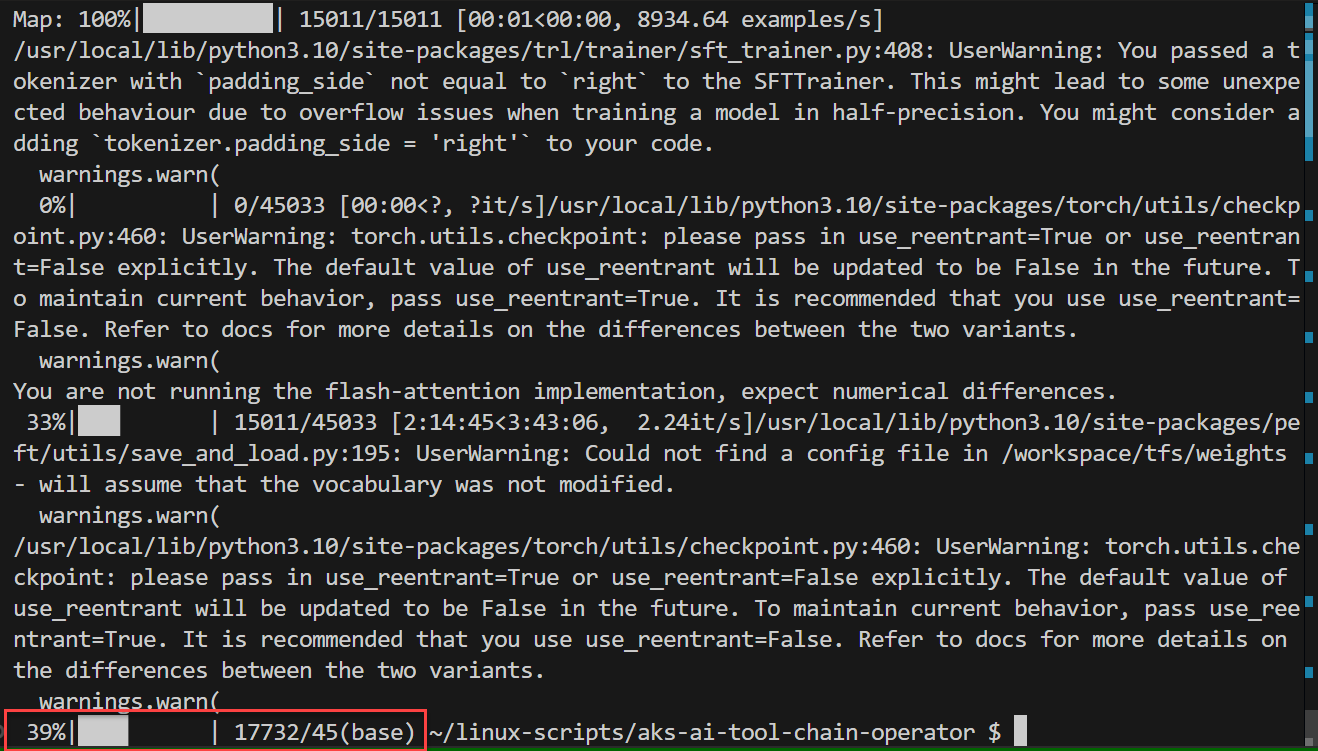
You can periodically check the job’s container logs
$ kubectl logs workspace-tuning-phi-3-mjhnd workspace-tuning-phi-3
To see the progress of the job, look for the progress bar highlighted here.

The job running under AKS > Workloads

After about 3 hours the status shows 39%
A look at some monitoring details at the job pod’s container level memory usage.

The CPU consumption appears to be relatively low. I would assume In terms of GPU consumption, I couldn’t find any metrics unfortunately.

After just over 7 hours, the finetuning job has completed
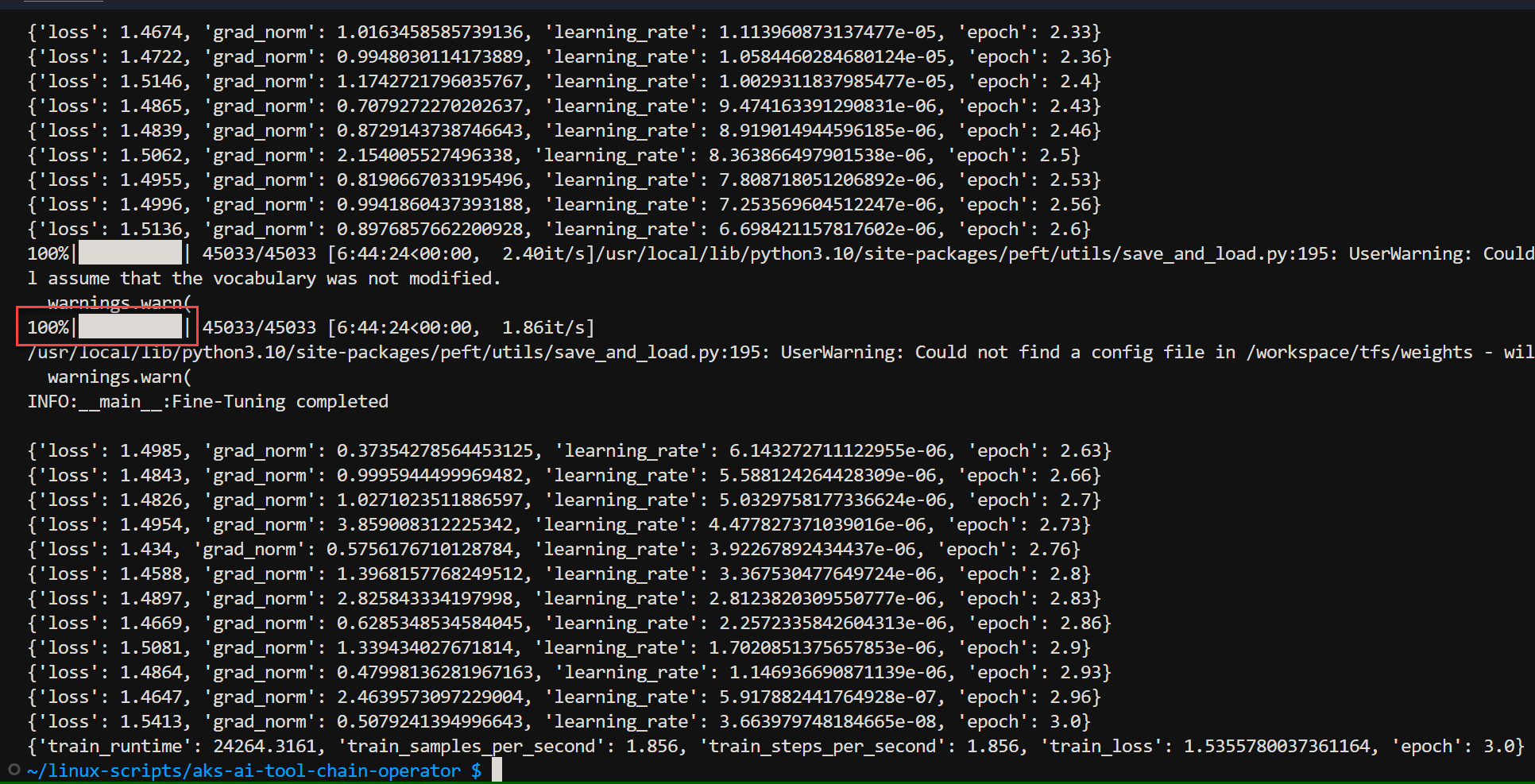
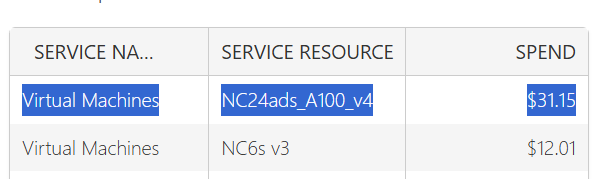
I find it really enlightening that fine-tuning 15,000 rows of data on an expensive VM with an NVidia A100 takes 7 hours. This helps confirm the understanding that training workloads take a lot of compute and electrical power.
The total cost of this one VM turns out to $31.15 which is quite expensive.
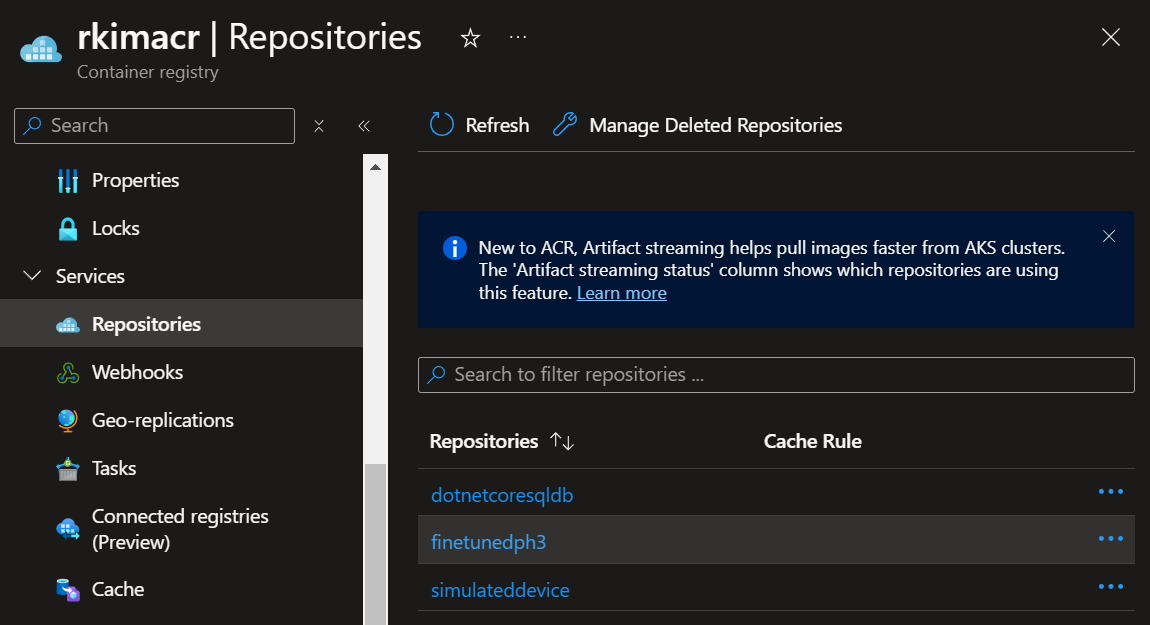
In my azure container registry, I notice the output of the job placed an image into this container repository.

Read the next blog post Part 3 to use deploy the fine tuned model (stored in the container registry) to a new Kaito workspace.
Resources
 Roy Kim on Azure and AI
Pingback: Deep Dive Into Fine-Tuning An LM Using KAITO on AKS – Part 1: Intro – Roy Kim on Azure and Microsoft 365
Pingback: Deep Dive Into Fine-Tuning An LM Using KAITO on AKS – Part 3: Deploying the FT Model – Roy Kim on Azure and Microsoft 365
Pingback: Deep Dive Into Fine-Tuning An LM Using KAITO on AKS – Part 4: Evaluation – Roy Kim on Azure and Microsoft 365