
I have been exploring some in depth tutorials in building a chat application. It implements Retrieval Augmentation Generation (RAG) on a product database in Azure AI Search. The scenario is for a retail customer to ask product recommendations on camping gear. This solution employs Azure AI Foundry for LLM models and interfacing. My goal of this post is to give a high level overview and commentary to supplement the tutorials.
- Tutorial: Part 1 – Set up project and development environment to build a custom knowledge retrieval (RAG) app with the Azure AI Foundry SDK
- Tutorial: Part 2 – Build a custom knowledge retrieval (RAG) app with the Azure AI Foundry SDK
This is my interpretation of the architecture of this Chat RAG solution.

I first create Azure AI Foundry Project (and Hub) in the Azure Portal. AI Foundry is a unified platform of various AI services including Azure Open AI to support the development and deployment process of developing AI into your applications.
My Azure AI Foundry project will leverage
- Azure Open AI via an Azure AI service resource via Azure AI SDK
- Deploy and use models such as gpt-4o-mini and text-embedding-ada-002
- Azure AI search (as a connected resource) for indexing the products data in the form of content vectors using the text-embedding-ada-002 model.
Azure AI Search
Azure AI Search is can index the products data used for retrieval-augmented generation (RAG) for conversational search. AI Search supports vector search that enables indexing and query execution over numeric representations of content. So matching numeric representations of user queries matching against the vectorized content can yield more semantically similar matches over traditional text based searches.
In this tutorial, a user can prompt for outdoor tents for a number of people and a query can be made to search for product results that closely match to the meaning of the user’s prompt.
In the Azure AI Foundry Project (via Management Center interface), I have connected Azure AI Search resource. This AI Search resource was created independently.

My Development Environment
- Visual Studio Code
- Running in Windows Subsystem for Linux on Windows 11 PC
- Python Virtual Environment with the following packages
- azure-ai-projects
- azure-ai-inference[prompts]
- azure-identity
- azure-search-documents
- pandas
- python-dotenv
- opentelemetry-api
- .. and more
This environment runs Python scripts against the Azure AI related APIs and authenticating with my Azure Entra ID (formerly AAD) account.
VS Code Files

I will describe at high level the purpose of each file and code code component. For details, you can simply go through the tutorial links provided.
- environment variables for AZURE AI API url and model deployment names
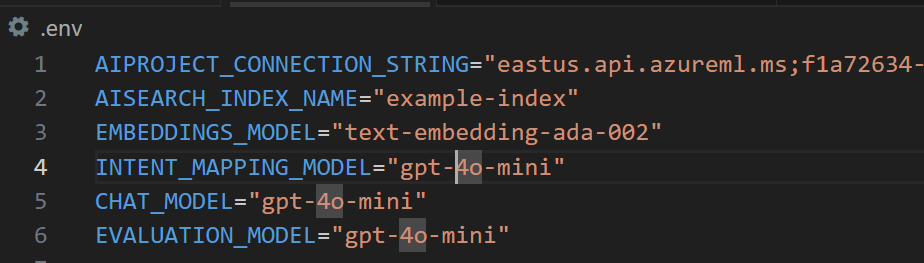
- loading environment variables from .env file
- helper functions such as logging and telemetry instrumentation
- imported to other python scripts
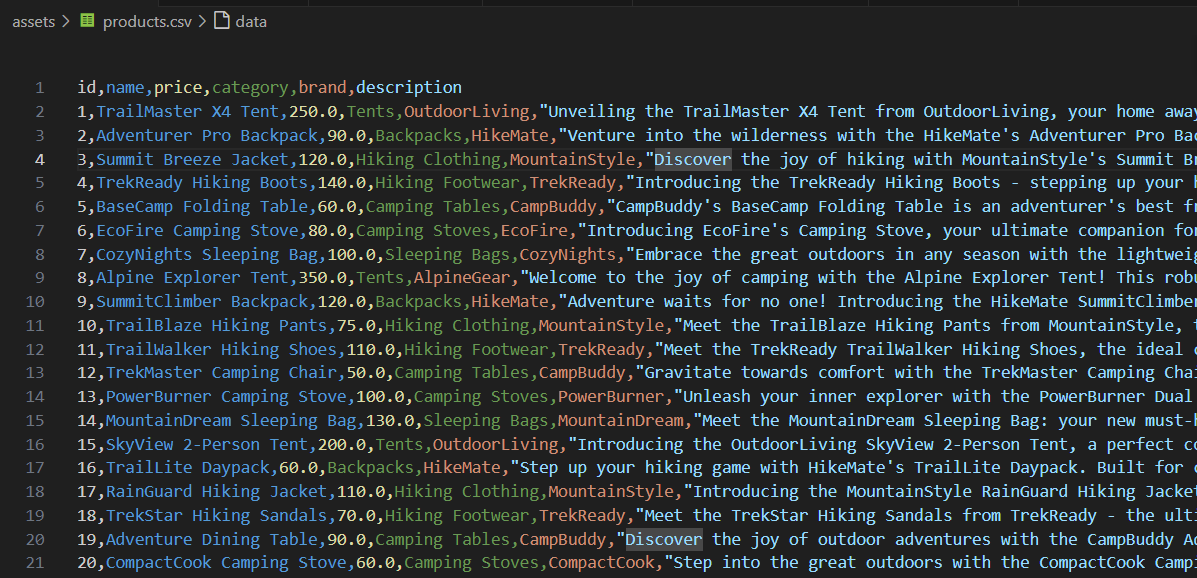
- data asset for a database of products
- Used to load the search index and is the basis of conversational search
- Columns: id,name,price,category,brand,description
- A one time script to create the search index and load the data from products.csv
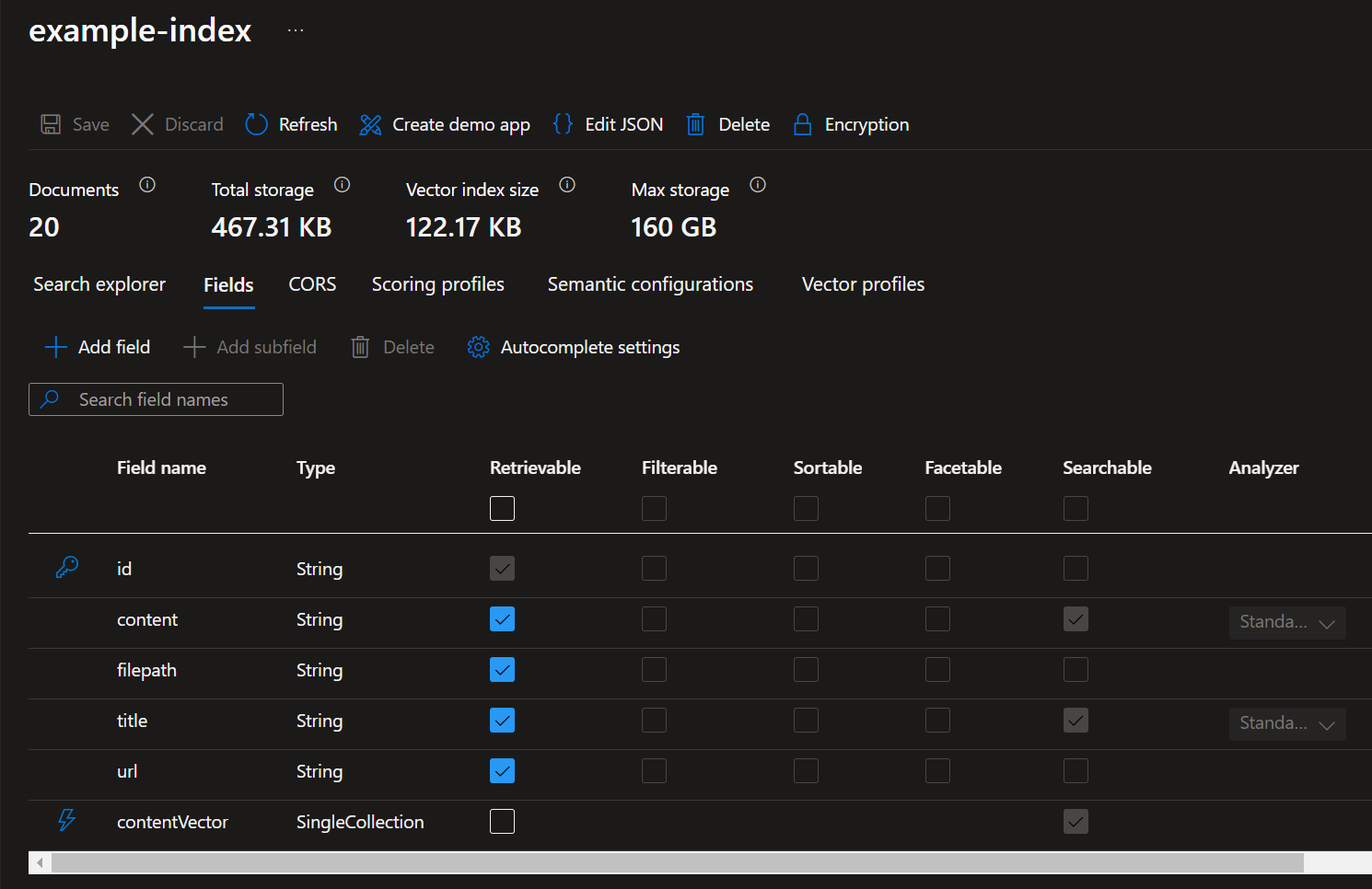
- Define field index as
- id
- content
- filepath
- title
- url
- contentVector
- This field is the embedding field that stores the numerical representation of the product description.
- The vector search algorithm is configured to use
HNSW (Hierarchical Navigable Small World). This is to approximate nearest neighbor search algorithm) with cosine distance between vectorized text prompt and the contentVector field.
AI Search Index

Index Fields
Basic Search Result Sample:

This script uses the Azure AI SDK to query the search index for documents that match a user’s question. It then returns the documents to the chat app.
When a user submits a query, the Python script employs the Azure AI SDK and a prompt template to prepare an appropriate query to search the index for documents. The query is also vectorized with a embedding model deployed in Azure Open AI. The response will eventually be used to formulate a response back to the user by using an LLM model.
Regarding the prompt template intent_mapping.prompty, it instructs how to extract the user’s intent for the search index using techniques of System messages, 2 example query and response and other grounding techniques. You can see the full prompt template here.
The prompt template is a tool from https://prompty.ai/docs.
Testing this script:
Here is the query to the search index formulated by the prompt template.

Here is 1 out of 5 search results from the script:
5 documents retrieved:
[{‘id’: ‘1’,
‘content’: ‘Unveiling the TrailMaster X4 Tent from OutdoorLiving, your home away from home for your next camping adventure. Crafted from durable polyester, this tent boasts a spacious interior perfect for four occupants. It ensures your dryness under drizzly skies thanks to its water-resistant construction, and the accompanying rainfly adds an extra layer of weather protection. It offers refreshing airflow and bug defence, courtesy of its mesh panels. Accessibility is not an issue with its multiple doors and interior pockets that keep small items tidy. Reflective guy lines grant better visibility at night, and the freestanding design simplifies setup and relocation. With the included carry bag, transporting this convenient abode becomes a breeze. Be it an overnight getaway or a week-long nature escapade, the TrailMaster X4 Tent provides comfort, convenience, and concord with the great outdoors. Comes with a two-year limited warranty to ensure customer satisfaction.’,
‘filepath’: ‘trailmaster-x4-tent’,
‘title’: ‘TrailMaster X4 Tent’,
‘url’: ‘/products/trailmaster-x4-tent’},
…
]
This script uses the Azure AI SDK, a prompt template grounded_chat.prompty and the document search results by calling get_product_documents.py to generate an appropriate response to the user’s question.
The prompt template (from https://prompty.ai/docs):
---
name: Chat with documents
description: Uses a chat completions model to respond to queries grounded in relevant documents
model:
    api: chat
    configuration:
        azure_deployment: gpt-4o
inputs:
    conversation:
        type: array
---
system:
You are an AI assistant helping users with queries related to outdoor outdooor/camping gear and clothing.
If the question is not related to outdoor/camping gear and clothing, just say 'Sorry, I only can answer queries related to outdoor/camping gear and clothing. So, how can I help?'
Don't try to make up any answers.
If the question is related to outdoor/camping gear and clothing but vague, ask for clarifying questions instead of referencing documents. If the question is general, for example it uses "it" or "they", ask the user to specify what product they are asking about.
Use the following pieces of context to answer the questions about outdoor/camping gear and clothing as completely, correctly, and concisely as possible.
Do not add documentation reference in the response.

# Documents

{{#documents}}

## Document {{id}}: {{title}}
{{content}}
{{/documents}}
Testing chat_with_products.py
python chat_with_products.py –query “I need a new tent for 4 people, what would you recommend?”

Query response output:
[{‘role’: ‘user’, ‘content’: ‘I need a new tent for 4 people, what would you recommend?’}]
💬 Response:
{‘content’: ‘I recommend the TrailMaster X4 Tent. It is specifically designed to accommodate four occupants comfortably, crafted from durable polyester with a spacious interior. It features water-resistant construction, a rainfly for extra weather protection, and mesh panels for airflow and bug defense. Additionally, it has multiple doors and interior pockets for convenience, along with reflective guy lines for visibility at night. Its freestanding design simplifies setup and relocation, making it a great choice for your camping adventures.’,
‘refusal’: None,
‘role’: ‘assistant’}
As you notice in the response, the chat app has identifies an appropriate tent that is suitable for 4 people. Notice that the search was able to match the meaning of “people” and “occupant. There were other tent products that can occupy up to 8 people, yet the search expectantly did not return that product. Also the response, provided details as to why this tent is recommended by stating “it a great choice for your camping adventures.”
Final Thoughts
My deep dive experience in running and understanding this code and Azure AI related resources provided me many insights on the architecture and implementation details. It turns out there are many more implementation details and configuration with the AI search to further evaluate and optimize for high quality document search scenarios. Also it comes to mind that such solutions is very data quality dependent. So be prepared to prepare quality prompt templates and data to upload to your search index. Finally, Azure AI Foundry is easy to use as you can just one API endpoint to access various LLM models and Azure AI Search.
References
 Roy Kim on Azure and AI