
The Azure AI Foundry portal is a unified development environment that provides access to multiple AI services, compute, models, APIs and data stores. Creating a series of hubs and its projects provides a collaborative workspaces in small and large organizations for data scientists, developer and engineers. I have created a Hub and 2 projects and I’ll walk through some key areas in my implementation to showcase its capabilities and provide further insight.

Hubs
Hubs support one more projects by defining shared users, AI services, compute and shared assets that can be used across multiple projects. A hub normally provisions a storage account and key vault.
Projects
A project will inherit assets, resources and users from its parent Hub for reusability. A project is where a team can collaborate and build AI solutions.
In the Azure AI Foundry Management Center, I have created a series of Hubs and Projects, but I’ll focus on the highlighted rk-aihub and its two projects.

By clicking into the rk-aihub hub, we see its hub details and are able to manage the Users, Models + endpoints, connected resources and compute.

Users
We can add users and their role that will be applied to its projects. You can either assign role based access starting from the parent hub or specifically to the project level. The default built-in roles are Owner, Azure AI Developer, Contributor and Reader. You can read about the roles here.

Connected Resources
Allows you to connect to external resources such as AI services, data sources, AI search index, and more.

I have setup the following:


- An Azure Open AI service the supports deploying language models such as GPT-4.
- An Azure AI Services that provides APIs to natural language processing for conversations, search, monitoring, translation, speech, vision, and decision-making. You can read further here.
Note that these two connected resources comes from deploying a single Azure AI Service to consolidate all the AI services including Open AI. Do not confuse with Azure AI multi-service account as that is an older approach. With regards to Azure Open AI service that is built stand-alone, you can create it as a connected resource. For starters, I recommend create on Azure AI Service for ease of use and simplicity. - Project 1: rk-aihub-project storage account containers
These connection names are to a storage blob container.
– Connection: rk-aihub-project/rk_aihub_project_azureml -> Storage account called rkappstorage and container called azureml. This storage account is exclusive to this project only.
– Connection: rk-aihub-project/workspaceblobstore -> Storage account called strkaihub479895856587 and is shared to all projects, but the container a93829bd-144d-443b-85f7-d37844ac99a5-azureml-blobstore is exclusive to this project.
– Connection: rk-aihub-project/workspaceartifactstore -> Storage account called strkaihub479895856587 and is shared to all projects, but the container 93829bd-144d-443b-85f7-d37844ac99a5-azureml is exclusive to this project.
The azureml-blobstore would store files for Prompt Flows where the azureml container would store logs. - Project 2: rk-aihub-project2 storage account containers
This project shares the storage account strkaihub479895856587, yet has its own blob containers.
Models and Endpoints
After setting up Azure AI Service (with Open AI) as a connected resource, you can deploy models to be used with your projects.

You have many options to choose from.
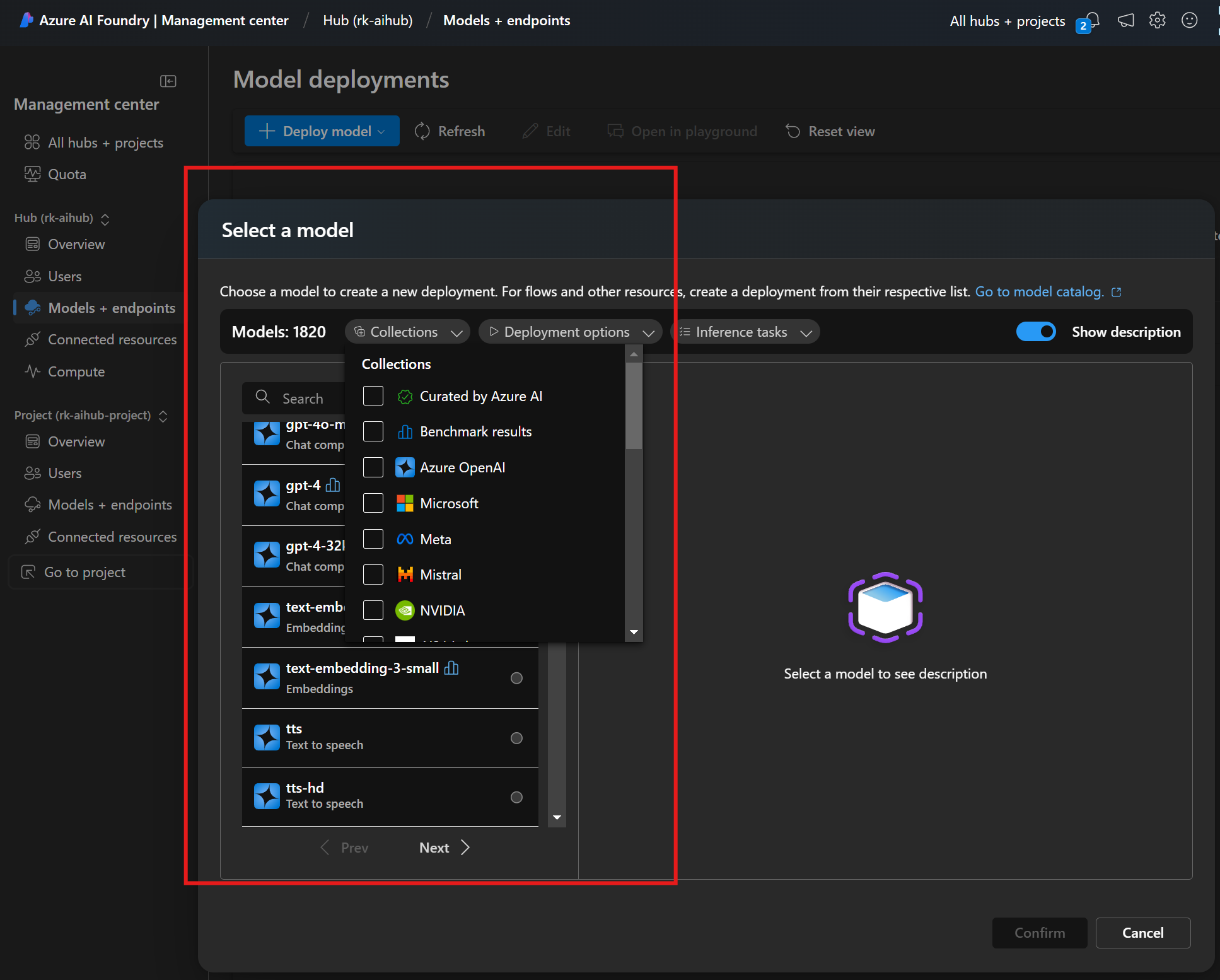
To use one of these models in your application code, you go to the model details and find the Target URI and API Key

Compute
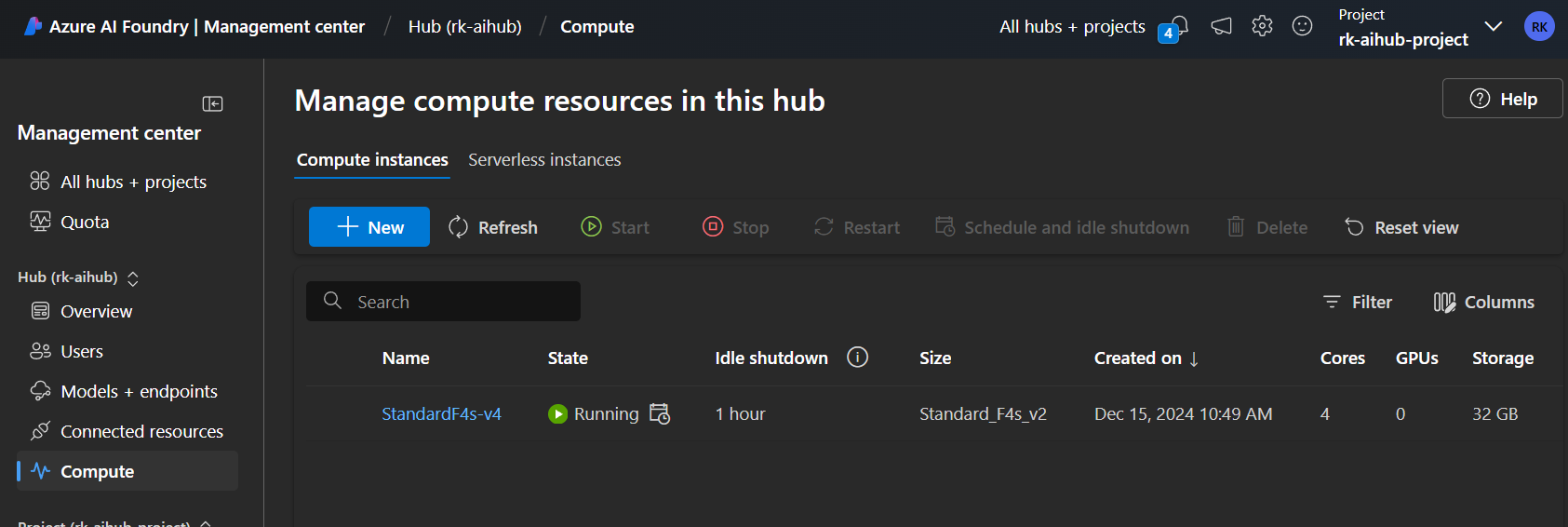
I have created a compute instance with a VM size Standard F4s-v4 4 cores, 8 GB RAM, 32 GB disk. Cost is $0.17/hr. This is shared across all projects.
This compute can be used for:
- prompt flow in Azure AI Foundry portal.
- An index
- Visual Studio Code (Web or Desktop) in Azure AI Foundry portal.
I find useful that you can configure it to shutdown after an hour of idleness to save on costs. This is good for experimentation and prototyping app code with AI services.
Project 1: rk-aihub-project
At the project level, we can setup Users, Models + endpoints, connected resources exclusive to the project.

Azure Portal > Resource Group
My Azure Foundry hub and projects deployment is presented in my resource group as follows:
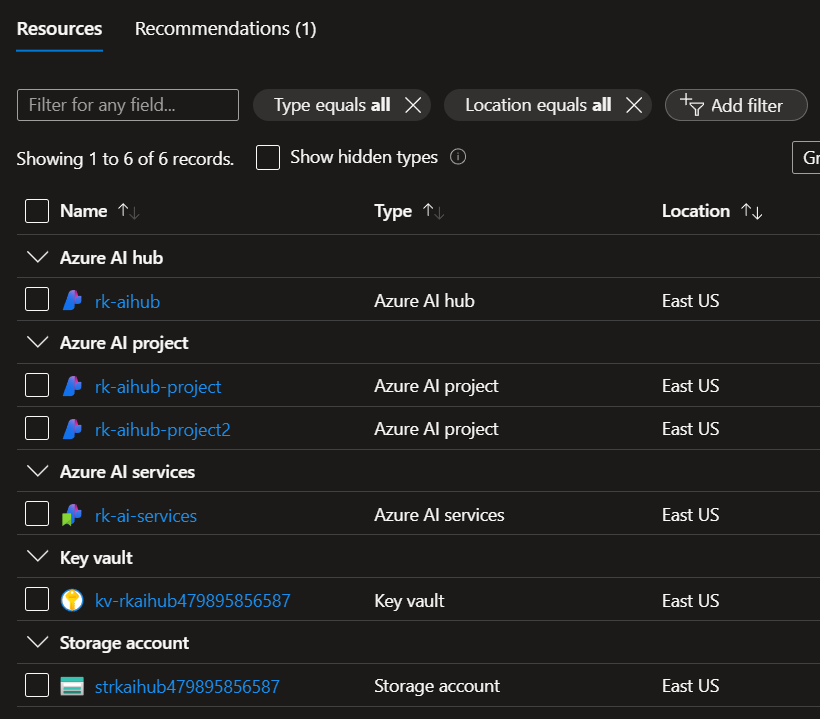
Note that I connected rkappstorage storage account for one of the projects that was pre-existing in another resource group.
Final Thoughts
Over the past years, the AI and cognitive services have been more standalone services that one would create and manage individually. Recently many of these services are getting consolidated and stream lined under one service such as Azure AI Service. And being managed under “control plane” such as Azure AI Foundry Management Center. I strongly keep in mind that how Azure AI related services will continue to evolve and how they are dependent and connected to one another. I hopeI have shown how Azure AI Foundry managed some of the resources such as APIs, data storage, role based access are managed through my demo.
Next, I will write a blog in the near future, how to “code” and create Prompt flow with Azure AI Foundry.
 Roy Kim on Azure and AI