In continuation from my blog article Building a Spark Application for HDInsight using IntelliJ Part 1 of 2 which outlines my experience in installing IntelliJ, other dependent SDKs and creating an HDInsight project.
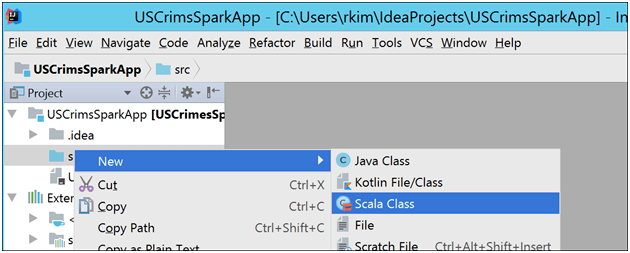
To add some code, right click src, create Scala Class
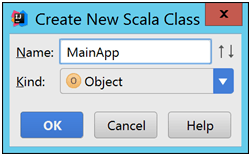
Project folders and MainApp
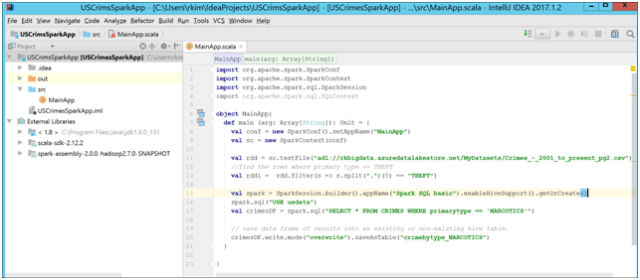
Scala code:
import org.apache.spark.SparkConf
import org.apache.spark.SparkContext
import org.apache.spark.sql.SparkSession
import org.apache.spark.sql.SQLContext

object MainApp{
def main (arg: Array[String]): Unit = {
val conf = new SparkConf().setAppName("MainApp")
val sc = new SparkContext(conf)

val rdd = sc.textFile("adl://rkbigdata.azuredatalakestore.net/MyDatasets/Crimes_-_2001_to_present_pg2.csv")
//find the rows where primary type == THEFT
val rdd1 =  rdd.filter(s => s.split(",")(5) == "THEFT")

val spark = SparkSession.builder().appName("Spark SQL basic").enableHiveSupport().getOrCreate()

    spark.sql("USE usdata")
val crimesDF = spark.sql("SELECT * FROM CRIMES WHERE primarytype == 'NARCOTICS'")

    // save data frame of results into an existing or non-existing hive table.
crimesDF.write.mode("overwrite").saveAsTable("crimebytype_NARCOTICS")
  }

}
Logic
- Read from csv file in Azure Data Lake Store into RDD
- Filter RDD for rows where primary type field is “THEFT”
- Set Hive Database to usdata (from default database)
- Query Hive table CRIMES for rows primary type field is “THEFT”
- Save data frame into new or existing crimebytype_NARCOTICS hive table.
Begin to setup IntelliJ to submit application to HDInsight
Before using Azure Explorer, I encountered an issue where signing in resulted in an error and it kept prompting me to enter the credentials. Sorry I didn’t capture the error message. And so, I was led to disable Android Support by checking it off.

Click Ok.
Sign into Azure via Azure Explorer

Select Interactive
Enter credentials
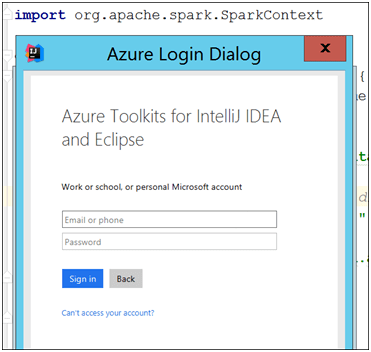
See the Azure resources display
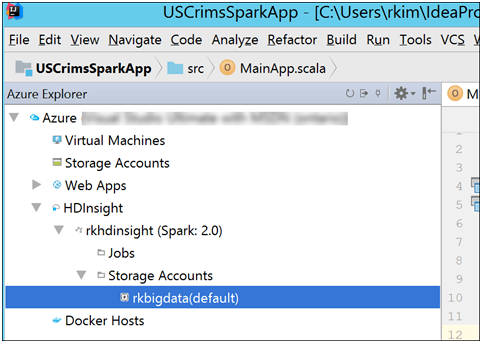
Right click the Project and click on Submit Spark Application to HDInsight

Set Main class name to MainApp

HDInsight Spark Submission window
Confirm success

Go to Ambari Hive View to query the hive table created from the spark application.

From Jupyter notebook, I query the same hive table.

I have shown a walk through of setting up the development tooling and building a simple spark application and run against HDInsight Spark 2.0 Cluster.
 Roy Kim on Azure and AI
Pingback: Building a Spark Application for HDInsight using IntelliJ Part 1 of 2 – Roy Kim on SharePoint, Azure, BI, Office 365