As I was starting to try out Azure Foundry Safety and Security feature, I confronted with the error “Your account does not have access to this resource, please contact your resource owner to get access”.
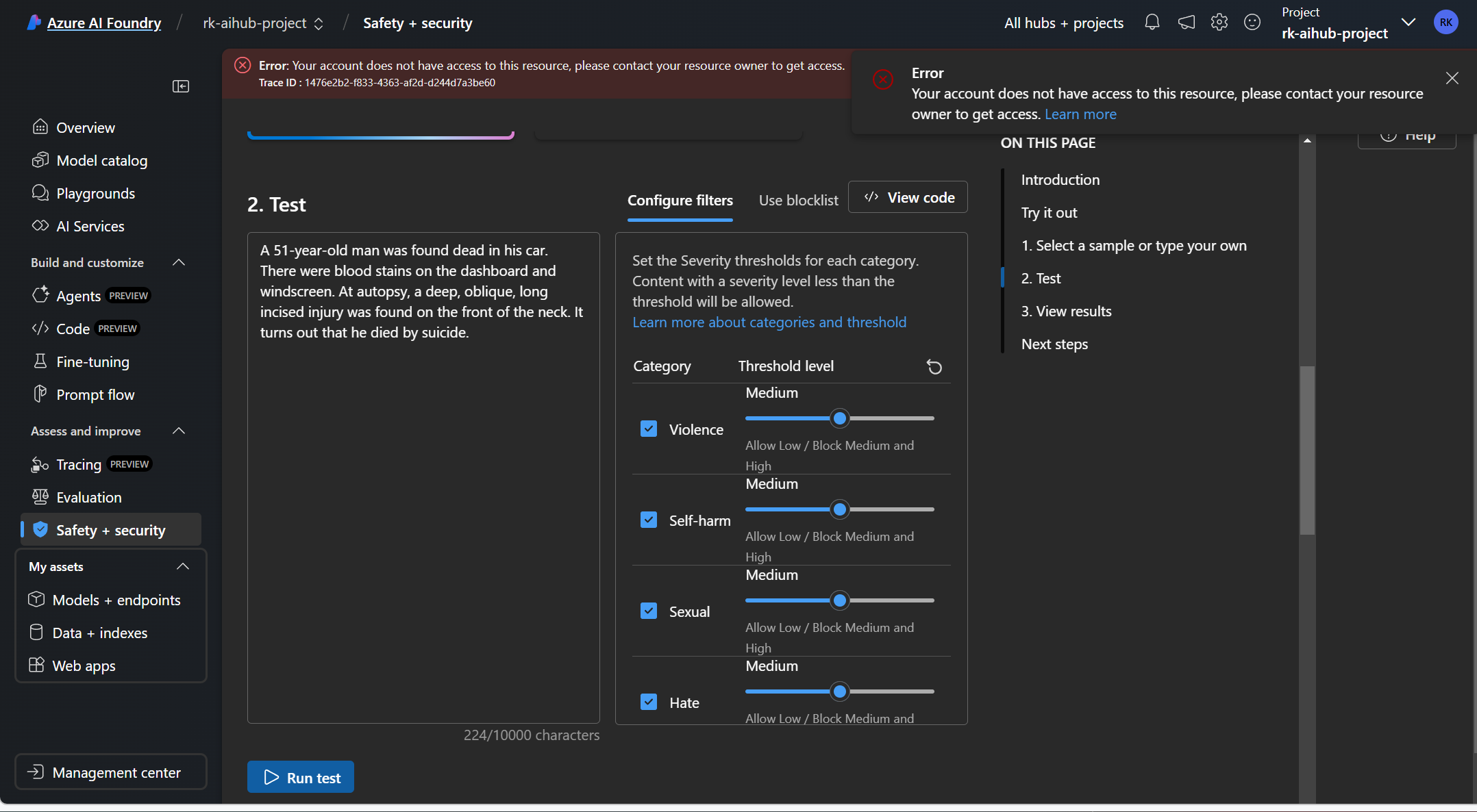
And so I went to the Management Center, to check user permissions and yet I have owner permissions at the Foundry Hub level which gets inherited to the my Foundry Project.

Reading the documentation https://learn.microsoft.com/en-us/azure/ai-studio/concepts/rbac-ai-studio, it states “If you encounter the error Your account does not have access to this resource, please contact your resource owner to get access, ensure your account is assigned the role of Cognitive Services User for the Content Safety resource or Azure AI Services resource you’re using.”
So I assigned my user account the RBAC role Cognitive Services User at the resource group level containing my Azure AI related resources.
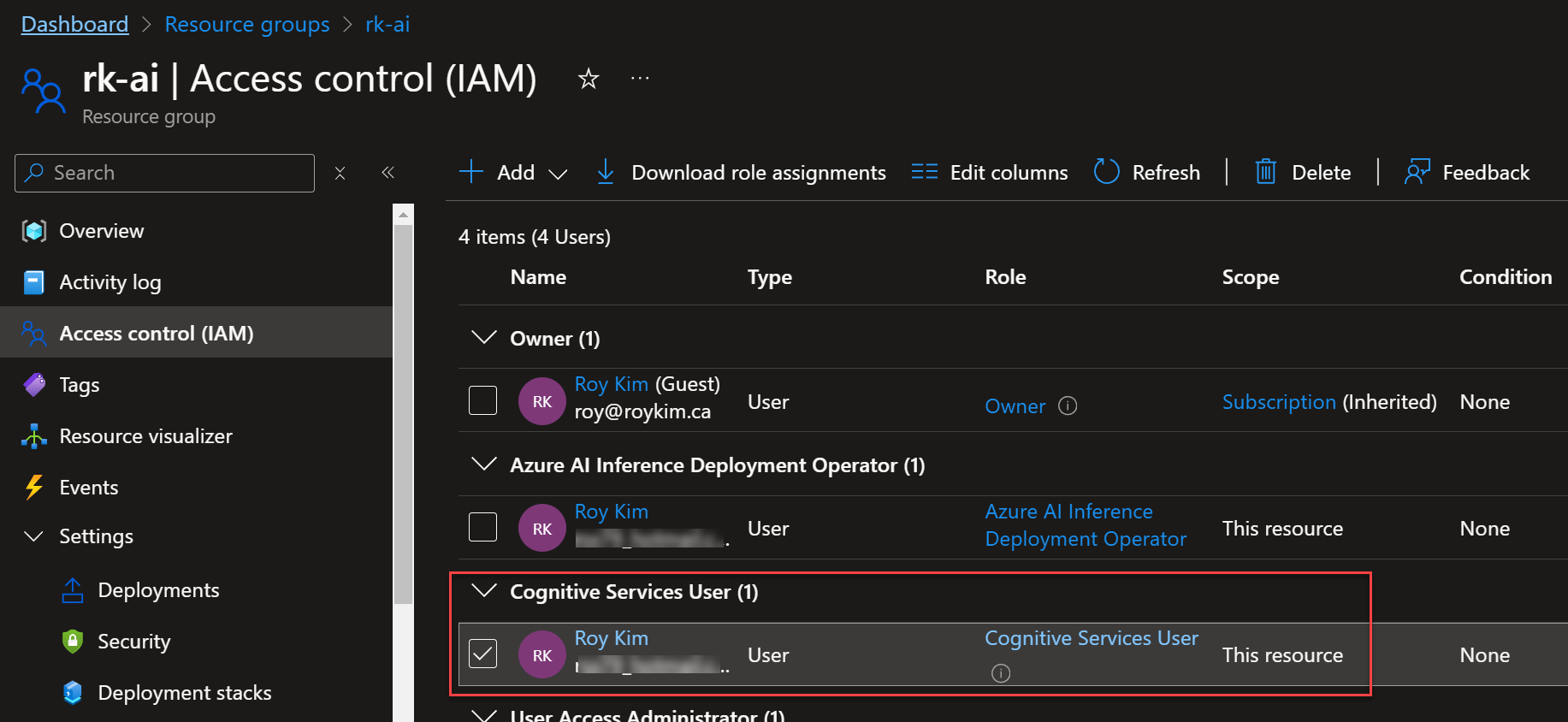
The resources in this resource group that ha been granted this role are:
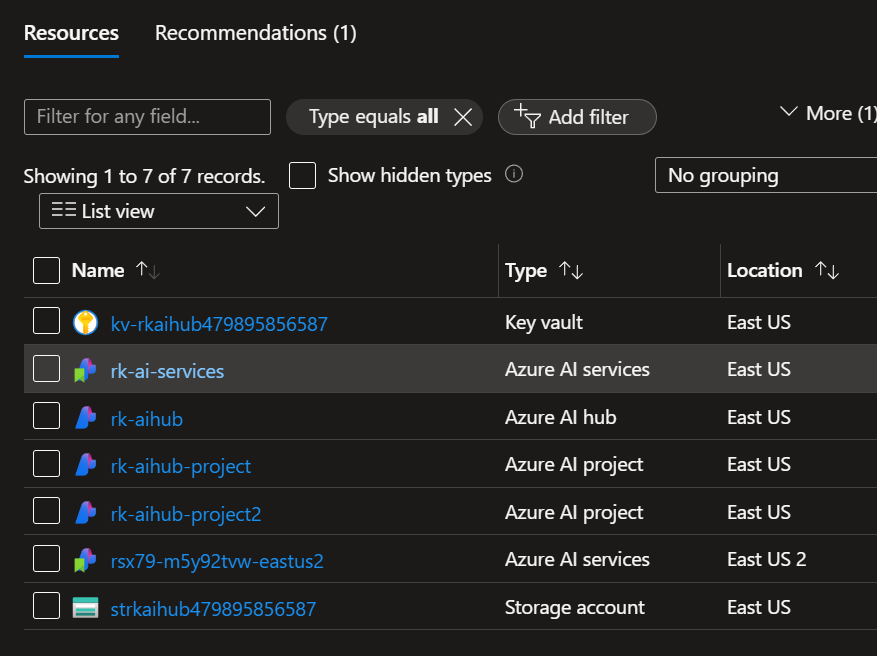
And in the rk-ai-services, supports the content safety service that my user account needs permissions.

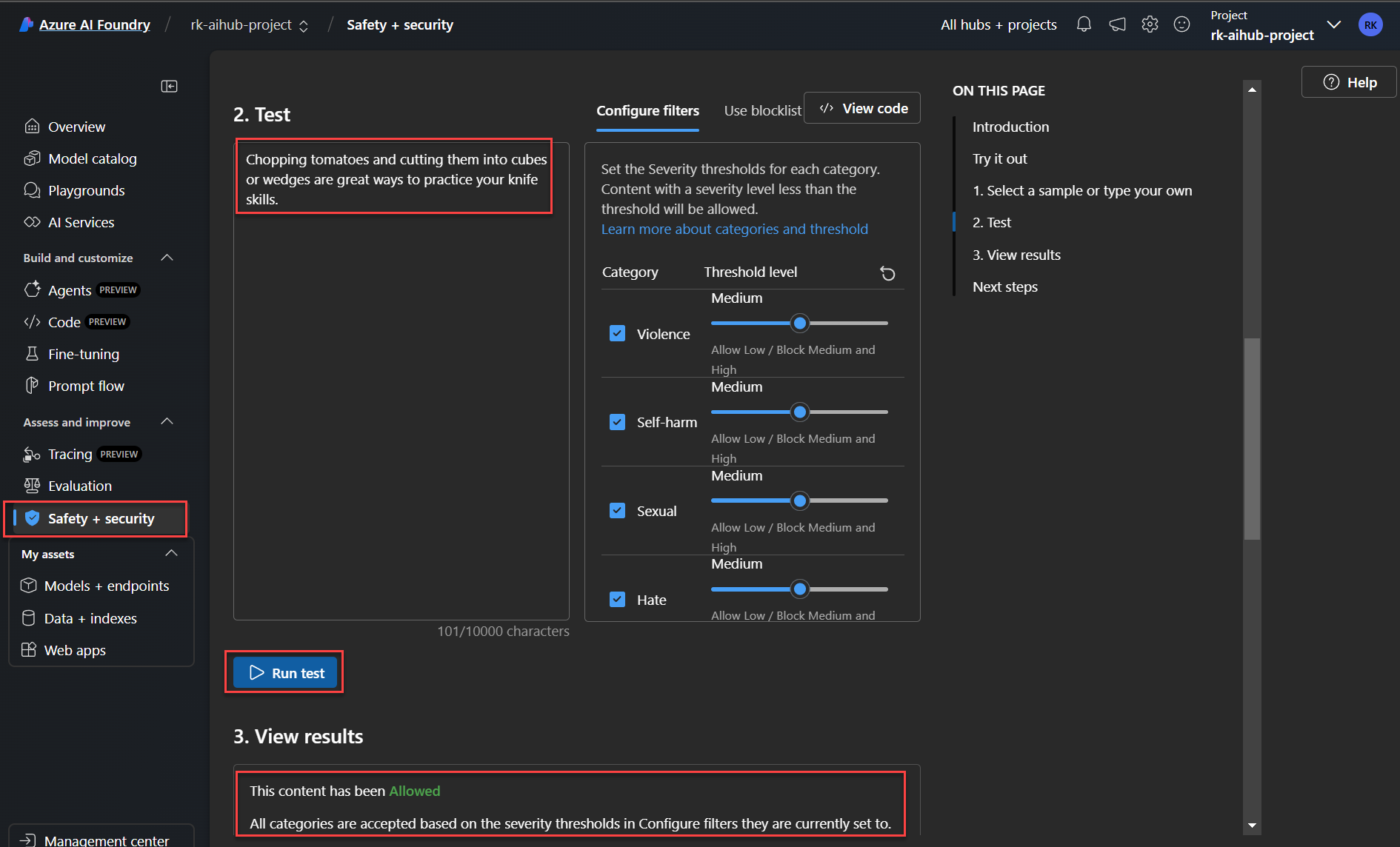
Now going back to the Safety + Security, and the “Try it out” tab, I now have access to run content safety tests.
The big take away
I want to highlight that permissions management in the Azure AI Foundry Users blade is more about managing the hub, project and Azure AI Foundry features so that users have various roles to manage the Foundry as a collaborative platform. Yet not about access to the underlying Azure AI services that get setup and connected through the AI Foundry. You can read more about it at https://learn.microsoft.com/en-us/azure/ai-studio/concepts/rbac-ai-studio#default-roles-for-the-hub
The default user roles for AI Foundry are

But for underlying services such as Azure AI Services resource, key vaults and azure storage account, be aware that roles need to be assigned specifically to those with the right RBAC roles. My point is not to assume the above AI Foundry roles will take care of all access to underlying services.
Ensure you carefully read through the article https://learn.microsoft.com/en-us/azure/ai-studio/concepts/rbac-ai-studio to get a full understanding of permissions. I found it confusing at first, hope this helps.
 Roy Kim on Azure and AI