
This project is sample code for those who are beginners to Terraform for Azure and as a quick reference. There are many ways to structure a terraform project in your repo, but I just want to show and explain my code. The starter project sample is suited for
- solo engineer/developer
- non collaborative
- establish a simple proof of concept quickly without added enterprise driven complexity
- utilizing azurerm storage account and azure verified module as examples of deploying a resource
- basic network and access security for rapid development and ease
You don’t have to follow this approach but hope it gives you some ideas for your own terraform projects.
In my project I choose deploying an azure storage account and one blob container. I use the modules found at
https://registry.terraform.io/providers/hashicorp/azurerm/latest/docs/resources/storage_account
https://registry.terraform.io/providers/hashicorp/azurerm/latest/docs/resources/storage_blob
Here is my folder structure and files:

Please open up the code here. View it side by side with my commentary and rationale. Explore the code repository.
provider.tf – Sets up the backend configuration and the required providers such as azurerm. You can setup the storage account as the remote. For simplicity, I keep a local terraform statefile.
main.tf – Is composed of creating the resource group along with data reference to the client config for future use. This is optional. Also I create a random string that can be used to be part of any resource names. This is optional.
main-variables.tf – I define all the variables for any resource defined in the main.tf
output.tf – To define output values referencing resource properties. These values can be used for debugging and troubleshooting. Also serve as values to be input into other terraform modules or cli cmds.
storage-account*.tf files – These are a collection of files I prefixed with “storage-account” to serve as deploying a storage account resource by using the azurerm-storage-account module.
storage-account.tf – This file is simply calling the azurerm_storage_account module and setting parameter values. For segregation and organization, I like to put this in its own file. A suitable alternative, is to put it into the main.tf. This will depend how many modules you want to use in your project and organize in separate .tf files or put them into single .tf file.
storage-account-variables.tf – This is the variables defined for azurerm_storage_account. I simply copied from https://github.com/Azure-Terraform/terraform-azurerm-storage-account/blob/main/variables.tf. One good reason to keep a copy is to understand what input parameters are available and their default values. You can customize the variable definition to your requirements. This includes changing the default value, description, and any validation rules.
storage-account-locals.tf – I copied this from https://github.com/Azure/terraform-azurerm-avm-res-storage-storageaccount/blob/main/locals.tf. Same reasons as copying storage-account variables.tf. Locals are essentially named expressions that you can use to simplify and reuse complex expressions within your configuration. Local values are particularly useful for improving the readability and maintainability.
I encapsulated the azurerm_storage_container into a module. This is to create a blob container within the storage account

A terraform module allows fore modularity and reusability. I didn’t have to create a module, but I wanted to demonstrate wrapping the azurerm_storage_container into a reusable module. You can replicate the structure for other reusable modules in your project.
variables.tf – Is to define a set of variables to serve to carry the input parameter values into azurerm_storage_container.
output.tf – Is to define output values for debugging, troubleshooting or reference to serve as input values to other modules or cli commands.
storage-account-container.tf – This is file that leverages the storage-blob-container custom module.
storage-account-container-variables.tf – To define the variables such as container_name to serve the values in storage-account-container.tf
Keep in mind there is flexibility on what you want to define and structure around custom modules in your project.
dev.tfvars – This file sets variable values defined in main-variables.tf and storage-container-variables and storage-account-container-variables. This serves as the input to perform terraform plan or terraform apply.
cmd.sh – This contains a series of azure cli to login with my Azure Entra ID account and other azure management operations. And a series of terraform commands to init, plan, apply and destroy the terraform code.
Other notables:
tests folder is empty but you can place any scripts to do any unit testing
.gitignore – you want to ignore autogenerated files by terraform that don’t serve any good purpose in pushing to the repo. This includes .terraform folder, state files, lock files and more.
Here’s the execution of my terraform code:
terraform apply -var-file="dev.tfvars" -auto-approve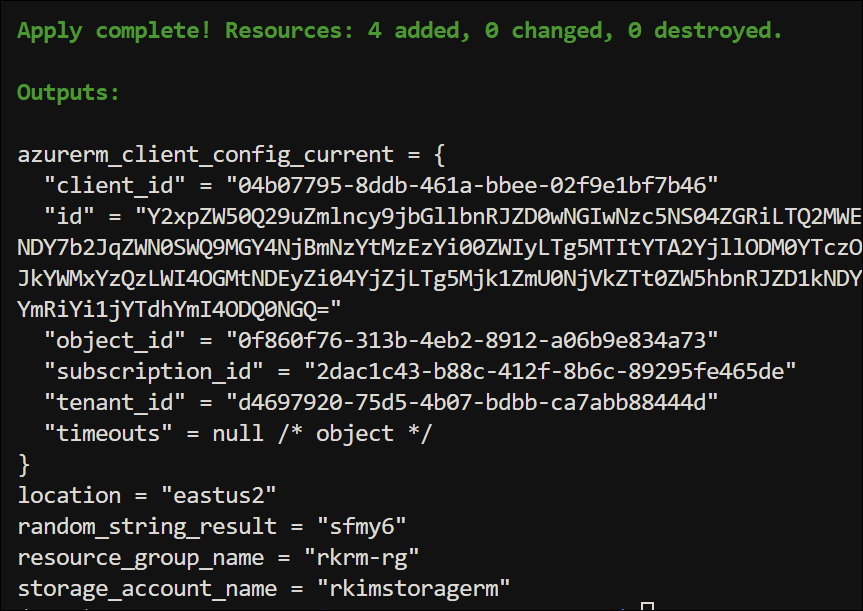
In the Azure Portal I see the results:
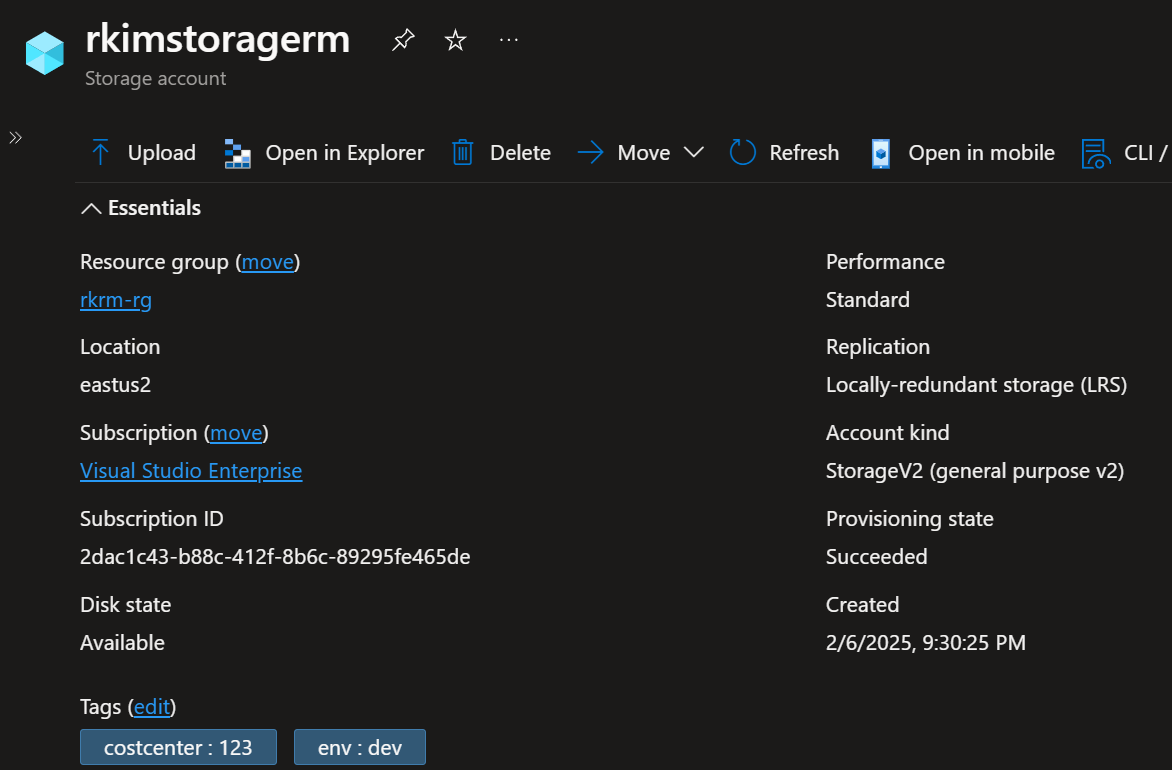
And the one blob container within this storage account.

I hope this post serves you well to get some perspective and insight on how you want to structure your terraform project and code for deploying Azure resources.
 Roy Kim on Azure and AI