
This blog post is a continuation from Deploying Azure Kubernetes Service Demo Store App with Azure Open AI – Part 1. In this post I will go through a deeper dive of the ai-service running container by doing a walk through of the Python Code that calls the Azure Open AI Service.
I like to share a blog series sharing my experience deploying, running and learning the technical details of the AKS Demo Store App and how it works with Azure Open AI. This experience is based on the the MS Learn article https://learn.microsoft.com/en-us/azure/aks/open-ai-quickstart?tabs=aoai
This AKS Demo Store App can be found at https://github.com/Azure-Samples/aks-store-demo/tree/main
The functionality in this app uses Azure Open AI service to generate product descriptions based on the product name and tags/keywords. This is the AI functionality of the Demo Store’s product edit page has the ability to generate the description based on the product name and keywords.

To recap, the Demo Store application architecture is composed of multiple services deployed in their own container and running in a Kubernetes deployment. The demo store is deployed through the k8s manifest https://github.com/Azure-Samples/aks-store-demo/blob/main/aks-store-all-in-one.yaml while the AI component is deployed through https://github.com/Azure-Samples/aks-store-demo/blob/main/ai-service.yaml
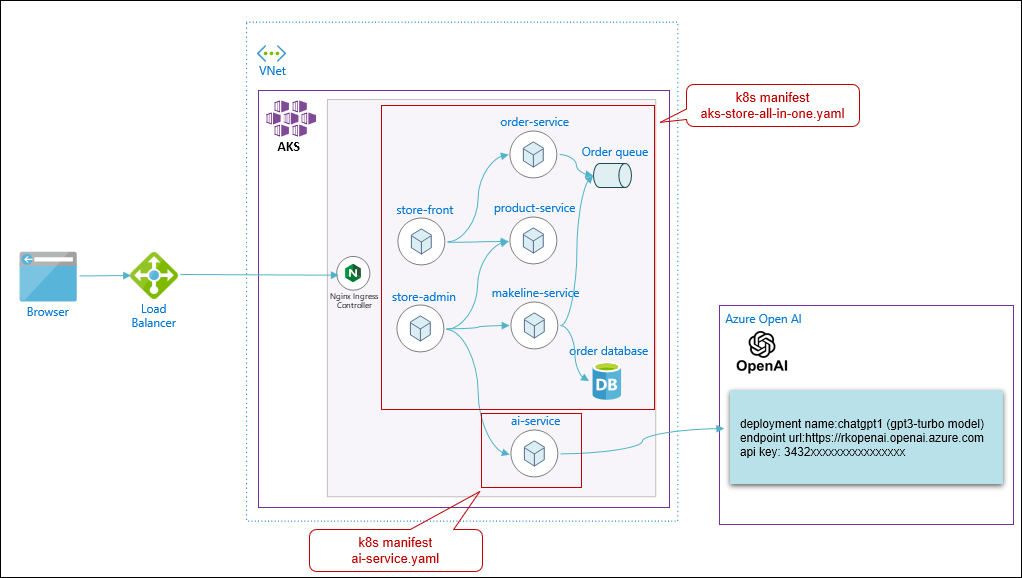
Let’s take a closer look at the python code in the ai-service by going to the repo for the AKS Demo store at https://github.com/Azure-Samples/aks-store-demo.

The ai-service code is located at https://github.com/Azure-Samples/aks-store-demo/tree/main/src/ai-service
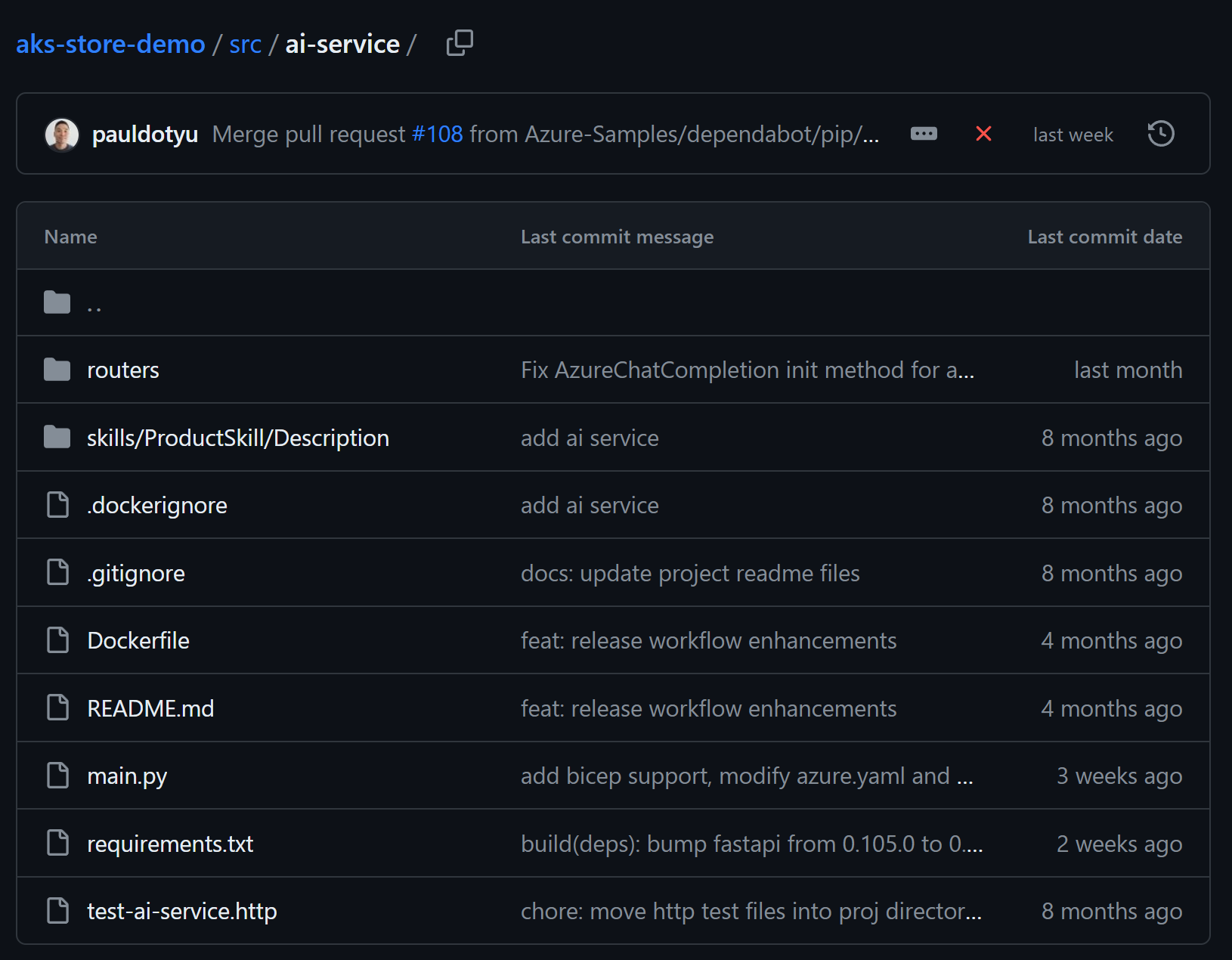
This is a Python application and uses the fastapi package to serve the RESTful API to generate the product description by calling the Azure Open AI resource. Rather than calling the Azure Open AI endpoint directly, this code leverages Semantic Kernel. It is an open-source SDK that lets you easily build agents that can call your existing code. As a highly extensible SDK, you can use Semantic Kernel with models from OpenAI, Azure OpenAI, Hugging Face, etc.
The Semantic Kernel helps orchestrate the steps to setup LLMs, configure prompts and execute prompts and more.
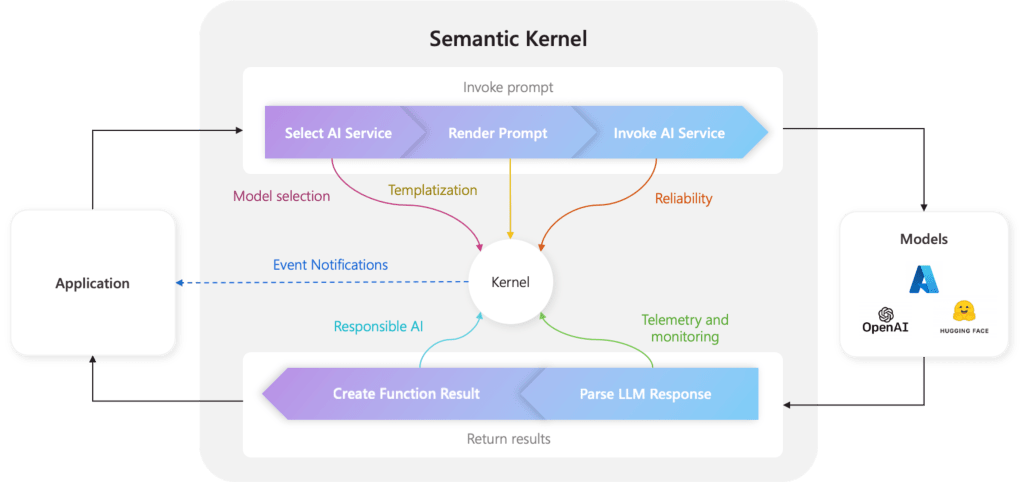
Read more about it at https://learn.microsoft.com/en-us/semantic-kernel/agents/kernel/?tabs=Csharp#the-kernel-is-at-center-of-everything
In the AI service, the overall logic
1) Setup the Large Language Model with Azure Open AI leveraging Semantic Kernel. This code is made flexible to switch to other LLMs such as Open AI (at openai.com).
Code: https://github.com/Azure-Samples/aks-store-demo/blob/main/src/ai-service/routers/LLM.py
The key areas of this code is:
Import the Semantic Kernel modules

In the get_llm() function, intialize the kernel object and setup Azure Open AI service with the env variables values provided in the k8s yaml manifest.


In the http API logic description_generator.py to generate the product description, the get_llm() is called to setup the kernel object for further use.

2) Configure the “skill” that templates the prompting for the Semantic Kernel to render.
Note the skills/ProductSkill/Description folder
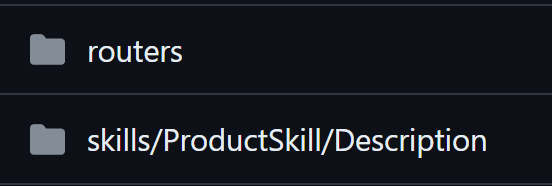
There is a skpromt.txt file that is the template for the prompt and has text placeholders for the product name and tags/keywords.

Moreover, what is interesting is that it has Description Generation Rules and Banned phrases to prompt engineer the chat completion to give context and restrictions.
The config.json file describes the function’s input parameters and description. This also configures the prompt for the Azure Open AI service.

You can find detailed explanation for these completion parameters at https://learn.microsoft.com/en-us/azure/ai-services/openai/reference
To initialize in the code description_generator.py, the Kernel references the skills/ProductSkill/Description folder for the prompt template and config.

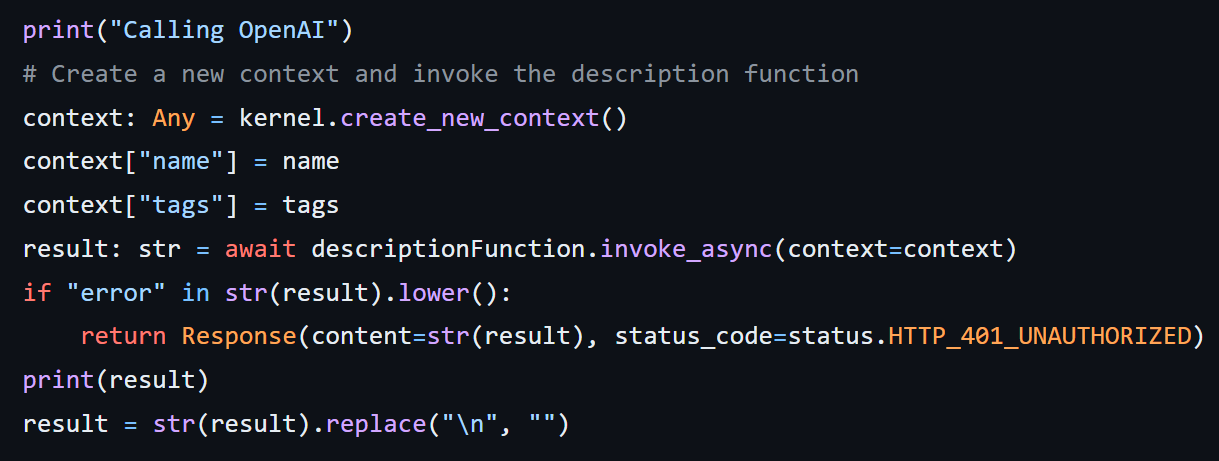
3) In the Http request logic, it calls out to the Semantic Kernel to invoke the Product Skill with the product name and tag/keywords to generate the description. Return in the http response.
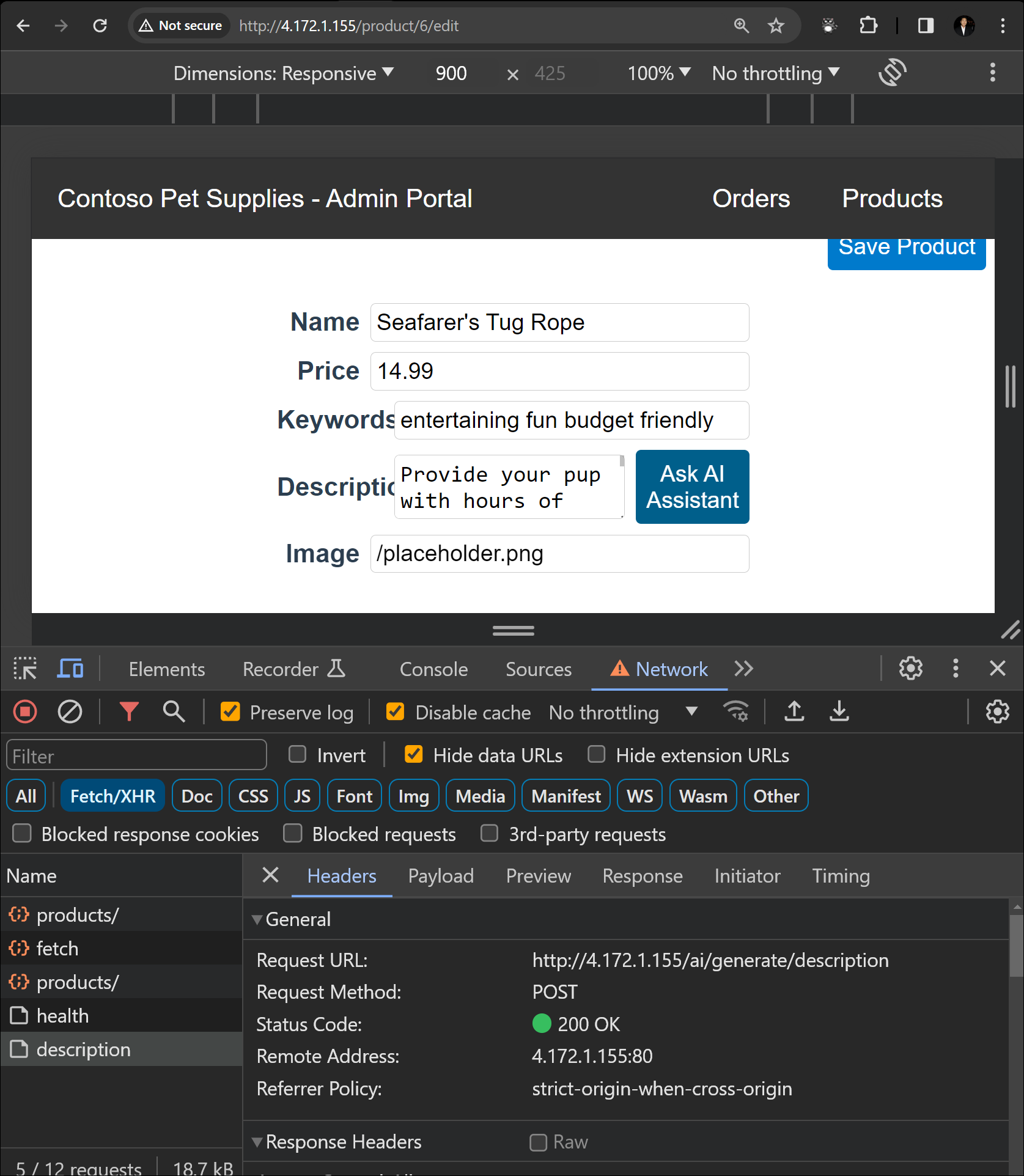
Below is to see an HTTP request in action.
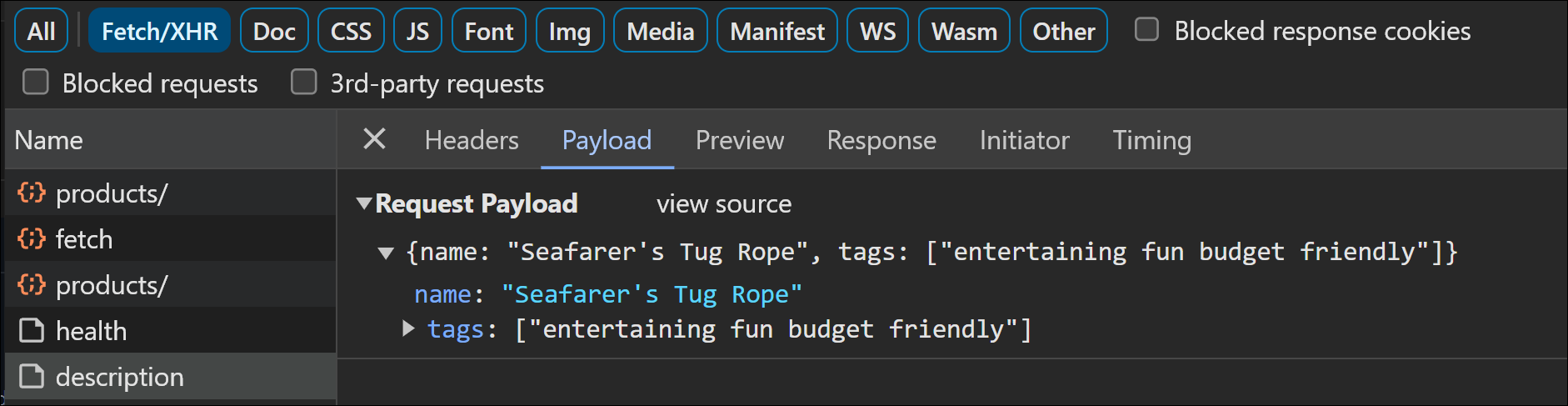
Http Payload
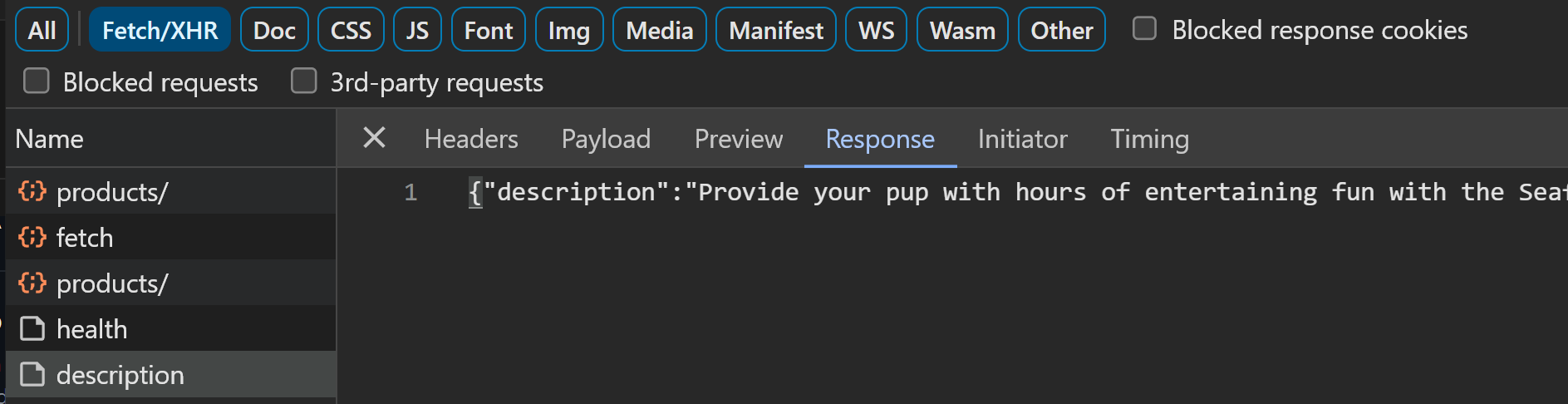
Http Response
There are more fine details of the code implementation I have left out for brevity. I encourage you to go through the code and cross reference the Semantic Kernel documentation to understand for yourself how it all works together and functions. The Semantic Kernel is highly recommended to help orchestrate all the “plumbing” required to piece together sophisticated scenarios of prompting the Azure Open AI Service.
Azure Kubernetes Service (AKS) is highly beneficial to support the AI Ops platform to make AI applications resilient, robust, extensible, scalable and performant. Especially when you have many AI workflows across many AI driven applications that can be hosted in an AKS platform.
 Roy Kim on Azure and AI
Pingback: Deploying Azure Kubernetes Service Demo Store App with Azure Open AI – Part 1 – Roy Kim on Azure and Microsoft 365